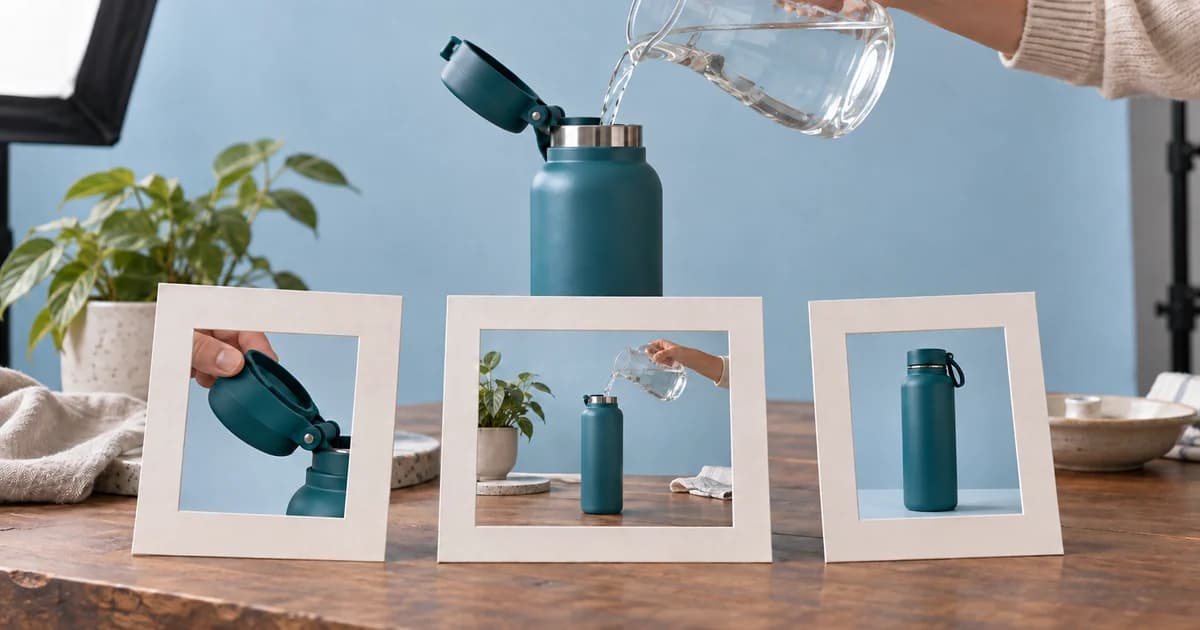
Your crew wraps a product shoot with one polished 15-second MP4. It looks good, the product is clear, and everyone assumes the asset can be uploaded wherever retail media is bought. Then the delivery requests arrive.
Amazon needs separate, silent feature clips that can stand on their own. Walmart can use a sound-on story cut and supports closed-caption sidecars. Instacart needs a video plus a thumbnail, a small circular logo, a short tagline, descriptive alt text, and a product set configured in Ads Manager. The “reusable” final file is suddenly the source of three rounds of re-editing—and possibly a reshoot because the crew never captured a clean opening state, a long post-action hold, or a thumbnail-safe hero frame.
The central production decision is simple: reuse the shoot, not one universal export. Plan a clean capture library that contains modular product actions, neutral plates, isolated audio, and enough handles for multiple edits. Then define a separate delivery branch for each platform before the camera rolls.
One final export is the wrong unit of reuse
A universal final file sounds efficient because all three platforms currently document a horizontal 16:9 route. But aspect ratio is only one layer of compatibility. The platforms organize the creative differently:
- Amazon Sponsored Products video treats each feature as an independent clip and may surface features in a different order.
- Walmart Sponsored Videos can carry a short narrative with sound, captions, and multiple shoppable items.
- Instacart Shoppable Video combines one video with interface-level assets and a product carousel.
The reusable unit should therefore be a capture library: high-resolution clean footage, product-action modules, neutral hero frames, hand and environment plates, isolated voice and effects, and a shot log that ties each take to a feature and product variant. The platform finals are branches created from that library.

What the three platforms actually require
The table below reflects official public documentation checked on September 9, 2026. It is a production snapshot, not a promise that every account exposes every placement or uploader option.
| Production question | Amazon Sponsored Products video | Walmart Sponsored Videos | Instacart Shoppable Video |
|---|---|---|---|
| What is the creative unit? | Amazon allows 1–5 product feature videos for one ASIN in an ad group; up to three feature thumbnails may appear at once. Each clip needs its own feature name and can be selected based on context. See the Amazon setup guide. | A campaign uses a sponsored-video media asset and one video profile; the current API guide permits 1–10 ad items, with three recommended to reduce out-of-stock interruptions. See Walmart's campaign setup guide. | Each ad group has one video, and the setup flow lets a brand select up to 40 products for the carousel. See Instacart's setup guide. |
| Duration | 7 seconds or longer. Amazon does not publish a maximum in this guide. | 5–45 seconds. | 3–30 seconds. |
| Canvas and file | Horizontal 16:9, MP4 or MOV, with 1920×1080 recommended and a maximum file size of 500 MB. Amazon's page still describes 9:16 as “to be available in 2026,” so horizontal 16:9 is the defensible default until the advertiser's account confirms otherwise. | 16:9, MP4 or MOV, 1280×720 through 3840×2160, up to 500 MB, H.264 or H.265. | MP4 or MOV, 16:9 on mobile and desktop, minimum 15 fps. The current page does not publish a usable video pixel range; its row labeled “Resolution” contains “Maximum: 500 MB,” which is a file-size value rather than pixel dimensions. |
| Sound and captions | No audio; Amazon says it will remove the audio. The guidance also rejects videos that depend on a talking head or on-screen captions to explain the product. | Walmart documents AAC, MP3, or PCM audio and SRT or VTT caption files. Captions are optional but recommended when the video contains spoken words. See the Walmart media-upload specification. | The cited creative-guidelines page lists file type, duration, ratio, minimum frame rate, thumbnail, tagline, and logo requirements, but it does not state a video audio codec or caption-sidecar rule. Do not invent one; confirm the live uploader behavior. |
| Companion assets | A feature title of no more than 3 words and 15 characters, plus an optional description of no more than 6 words and 55 characters, entered separately from the video. | Media name, video, optional caption file, thumbnail reference, keywords, bids, and shoppable items. | A 16:9 thumbnail from 1067×600 through 1600×900, no more than 10 MB; a 120×120, 1:1 logo designed for a small circular crop; a tagline of no more than 29 characters; required alt text; and the product carousel. See the Instacart creative guidelines. |
The shared 16:9 canvas is useful, but it does not make one upload portable. Amazon fragments the story into independently meaningful features. Walmart can preserve the story and add sound and captions. Instacart moves important information outside the video into a thumbnail, logo, tagline, alt-text field, and product carousel. A producer who plans only the MP4 has planned only part of the job.
Build the capture library before you build the call sheet
Start with the final branches, then work backward into shots. Six decisions prevent most of the expensive surprises.
Shoot a clean 4K 16:9 master
A 4K clean master gives the editor room to stabilize, reframe, and deliver 1920×1080 or another accepted 16:9 output without enlarging a smaller source. Keep the product large and readable. For Amazon in particular, the official guidance says the product should occupy 50% or more of the frame, so the camera plan should include tight demonstrations rather than relying only on wide lifestyle coverage.
“Clean” means no platform badges, product-card simulations, captions, price, CTA, or retailer-specific language burned into the source. Brand marks that physically exist on the product are different from post-production overlays. The clean master should remain usable even when the platform interface, product price, or promotional copy changes.
Film every feature as a self-contained action
Each feature module needs four moments: a recognizable starting state, the action beginning, the action completing, and a stable result. Do not make the loop demonstration depend on the lid demonstration that came before it. Amazon may show a feature independently or reorder it according to context, and a later editor may also need to cut the action into another platform's sequence.
A practical target is eight to ten seconds of usable material per action, even when the final insert will be shorter. Begin recording at least two seconds before the hand enters and hold for at least two seconds after the action is complete. Those handles let the editor create a clean thumbnail, move a cut, or remove a transition without exposing a jump.
Record isolated sound, but do not weld it to the picture master
Capture clean voice, product clicks, room tone, and useful effects as separate files. Walmart can use a sound-on version; Amazon cannot. A clean visual sequence plus isolated audio lets the editor add the layer where supported instead of trying to remove a baked voice track later.
Capture plates and alternates
For every hero setup, record a few seconds with no hand, no prop movement, and no UI copy. Add one tighter and one wider framing when time allows. Plates give the editor a place to add a platform-safe title, extend a hold, make a thumbnail, or repair a short action without reconstructing the background.
Tie each take to the actual product variant
A technically valid video can still create a bad shopping experience if it shows the teal 20-ounce bottle while the linked product is a different color, size, or mechanism. Put the SKU or UPC, color, size, and approved feature name on the slate and in the shot log. Campaign operators should own the final product mapping, but production must leave them unambiguous evidence.
Reserve frames for companion assets
A platform thumbnail is not merely “whatever frame looks okay.” Film a stable hero frame with room for the product, a hand if useful, and clean edges that survive a 16:9 crop. Capture a simple brand mark that remains legible when reduced to 120×120 and cropped into a small circle. Write the descriptive alt text while the scene is still fresh so it accurately names what appears and includes visible words.
A filled shoot plan for one fictional product
The example product is Rill, a fictional reusable bottle. The demonstration makes only observable claims: the lid opens with one hand, the built-in loop lifts for carrying, and the tapered base enters a cup holder. It does not add unsupported insulation, leakproof, durability, or performance promises.
| Shot ID | Capture | Minimum usable material | Why it exists | Platform branches |
|---|---|---|---|---|
| RILL-A01 | Neutral 16:9 hero, product still | 5 seconds | Opening, closing, thumbnail, clean plate | All three |
| RILL-A02 | Lid closed, finger outside frame | 3 seconds | Clear starting state and edit handle | Amazon, Walmart, Instacart |
| RILL-A03 | Thumb presses button; lid opens; hand exits | 8–10 seconds | Complete one-hand-lid module | All three |
| RILL-A04 | Loop down; hand lifts loop; brief upward tension | 8–10 seconds | Complete carry-loop module | All three |
| RILL-A05 | Empty car cup holder, no product | 4 seconds | Environment plate and transition handle | Walmart, Instacart |
| RILL-A06 | Bottle enters holder and settles | 8–10 seconds | Cup-holder-fit module | All three |
| RILL-A07 | Tight logo and lid detail | 5 seconds each | Brand legibility, thumbnail options, edit repair | Walmart, Instacart |
| RILL-A08 | Isolated lid click, room tone, and four voice lines | Separate WAV files | Sound-on branch and clean caption transcript | Walmart |
This plan is intentionally repetitive at the source level. The same action is captured cleanly enough to become an eight-second Amazon feature, a four-second Walmart scene, or one beat inside an Instacart edit. That redundancy is cheaper than rebuilding an action after the product, crew, location, and lighting have changed.
Three delivery branches from the Rill shoot

Amazon: three silent feature files, not one miniature brand film
Amazon's format rewards a modular edit. Each file should demonstrate one named feature without requiring narration or the previous clip. The sample package contains three 1920×1080, eight-second H.264 MP4s with no audio stream:
The accompanying copy is entered outside the video. Each example stays within Amazon's published title and description limits:
| File | Feature title | Title check | Optional description | Description check |
|---|---|---|---|---|
| OneHandLid | One-Hand Lid | 2 words, 12 characters | Open the lid with one thumb | 6 words, 27 characters |
| CarryLoop | Carry Loop | 2 words, 10 characters | Flip up the built-in loop | 5 words, 25 characters |
| CupHolderFit | Cup Holder Fit | 3 words, 14 characters | Tapered base fits standard holders | 5 words, 34 characters |
The same fields and counts are available in Rill_AMZ_feature_copy_v1.csv.
The production lesson is more important than the exact edit: show the state, show the action, and hold the result. Do not spend the first four seconds on a logo animation. Do not use a spoken explanation that becomes meaningless after Amazon removes audio. Do not build continuity that fails when “Cup Holder Fit” appears before “Carry Loop.”
The downloadable clips are original animated teaching outputs that demonstrate the file architecture and technical streams. They were not submitted to Amazon and should not be mistaken for acceptance evidence or for a substitute for a real-product shoot.
Walmart: one 15-second story cut, plus audio and captions
Walmart's current documentation supports a more conventional sound-on sequence. The Rill example keeps the same clean visual actions but adds an AAC voice track and matching SRT and VTT caption files:
- Rill_WMT_SponsoredVideo_15s_v1.mp4
- Rill_WMT_SponsoredVideo_15s_v1.srt
- Rill_WMT_SponsoredVideo_15s_v1.vtt
- Rill_WMT_thumbnail_1920x1080_v1.png
| Time | Visual beat | Spoken and captioned line |
|---|---|---|
| 0:00–0:03 | Neutral hero | Meet the Rill bottle. |
| 0:03–0:07 | Lid demonstration | Open with one hand. |
| 0:07–0:11 | Carry-loop demonstration | Lift the built-in carry loop. |
| 0:11–0:15 | Cup-holder demonstration | Slide it into the cup holder. |
The caption files share the video's basename so an operator can recognize the pair without opening them. The package also includes a fictional product map with three related teal-bottle pack options. That does not mean three items are always right for a campaign; it demonstrates where product IDs, stock checks, and creative-to-listing accuracy should be resolved before submission.
Instacart: the video is only one part of the creative
Instacart makes the missing-file problem especially visible because the setup requires information and images that do not live inside the MP4. The Rill branch includes:
- Rill_IC_ShoppableVideo_15s_v1.mp4
- Rill_IC_thumbnail_1600x900_v1.png
- Rill_IC_logo_120x120_v1.png
- Rill_IC_alt_text_v1.txt
- Rill_IC_copy_and_products_v1.csv
The sample tagline is “Open. Carry. Go.” At 16 characters, it is within the published 29-character limit. The video alt text reads:
A teal Rill bottle appears against a neutral studio background. A hand presses the lid button, raises the built-in carry loop, and places the tapered bottle into a car cup holder. The word RILL appears on the bottle.
That description names the visible product action and includes the word shown in the creative, matching Instacart's instruction that alt text include visible text as well as a direct description of the visuals.
The sample video is 1920×1080, 30 fps, H.264, and has no audio stream. Those are teaching export choices, not a claim that Instacart's public page requires that exact pixel size, codec, or silent playback. As of the verification date, the official table places “Maximum: 500 MB” in a row labeled “Resolution” and does not publish an audio codec. The production team should keep the clean master and confirm the live Ads Manager uploader before making a definitive Instacart preset.
The product carousel is also a campaign object, not an overlay to burn into the video. The example CSV puts the teal product first and then lists related color variants. The operator still has to verify that every selected UPC is available, relevant, and accurately represented by the ad and landing experience.
Name and package files so the handoff survives
A clean shoot can still fail in delivery if an editor exports files named final.mp4, final2.mp4, and final_revised_USE_THIS.mp4. Put the platform, creative unit, duration, and version in the filename, and preserve the source separately.
Rill_RetailMedia/
├── 01_Source/
│   ├── RILL_A01_Hero_T01_4K.mov
│   ├── RILL_A03_OneHandLid_T02_4K.mov
│   ├── RILL_A04_CarryLoop_T03_4K.mov
│   ├── RILL_A06_CupHolder_T02_4K.mov
│   └── Audio_Isolated/
├── 02_Project/
│   ├── Rill_Shared_16x9_Master_v1.prproj
│   └── Fonts_Licenses_Notes/
├── 03_Amazon/
│   ├── Rill_AMZ_OneHandLid_08s_v1.mp4
│   ├── Rill_AMZ_CarryLoop_08s_v1.mp4
│   └── Rill_AMZ_CupHolderFit_08s_v1.mp4
├── 04_Walmart/
│   ├── Rill_WMT_SponsoredVideo_15s_v1.mp4
│   ├── Rill_WMT_SponsoredVideo_15s_v1.srt
│   └── Rill_WMT_SponsoredVideo_15s_v1.vtt
└── 05_Instacart/
    ├── Rill_IC_ShoppableVideo_15s_v1.mp4
    ├── Rill_IC_thumbnail_1600x900_v1.png
    ├── Rill_IC_logo_120x120_v1.png
    └── Rill_IC_alt_text_v1.txt
Three rules keep this structure useful. First, never overwrite the clean source with a platform-specific edit. Second, give sidecar files the same base name as the video they describe. Third, put copy, product IDs, thumbnails, and accessibility text under version control with the media instead of leaving them in an email thread.
Run the preflight before the crew arrives
Use this checklist while changes are still cheap:
- Confirm account eligibility and the exact ad product. Instacart documents Shoppable Video as a brand-only feature, and Walmart limits Sponsored Videos to eligible brand owners or authorized representatives. A similarly named video product may have different specifications.
- Open the current official requirements and the live uploader. Save the verification date. Public documentation can lag an account rollout, as the Amazon vertical wording and Instacart resolution row illustrate.
- Write the delivery matrix. List every final video, duration, ratio, audio state, caption sidecar, thumbnail, logo, text field, product set, and owner.
- Approve observable feature claims. Give each feature a product-detail-page reference or other approved substantiation. Do not let a generic voiceover introduce a new performance promise on edit day.
- Map variants and product IDs. Put the exact color, size, pack, SKU, ASIN, or UPC beside every shot and intended campaign item.
- Add handles and plates to the call sheet. Require pre-action, action, post-action, clean background, tight detail, and stable hero coverage—not just a director's montage.
- Plan sound as a detachable layer. Record clean voice and effects, prepare the transcript, and assign ownership for caption timing.
- Assign companion assets. Decide who will deliver the Amazon feature copy, Walmart captions and item map, and Instacart thumbnail, logo, tagline, alt text, and product order.
- Define technical QC. Check duration, dimensions, frame rate, codecs, stream count, file size, caption timing, image dimensions, character limits, and whether each file decodes from beginning to end.
- Record what was not tested. A local probe can prove that an MP4 has the intended streams; it cannot prove platform acceptance. Only the platform's review can do that.
Inspect the package, not just the timeline
The final review should happen outside the editing application. Decode representative frames from every output, listen to the Walmart audio, open both caption formats, inspect the Instacart logo at 120×120, and read the alt text without looking at the video. Confirm that the Amazon files have no audio stream and that each feature still makes sense in isolation.
The downloadable example includes a decoded video contact sheet, a media-probe record, platform specification and shot-plan CSVs, copy files, source and claims ledgers, and the rendered media. These checks establish what was actually built and inspected locally. They do not claim that Amazon, Walmart, or Instacart reviewed or approved the fictional creative.
Reuse the shoot; version the finals
The efficient retail media production is not the one that forces a single MP4 through three uploaders. It is the one that captures each product action once, cleanly and with enough handles, then assembles the final file and companion assets around the job each platform asks the creative to do.
Plan the branches before filming. You will leave the set with more than a hero edit: you will have silent feature modules, a sound-on story, clean thumbnail frames, isolated audio, accurate product mapping, and the text files that operators otherwise discover they need after the crew has gone home.
Sources
- Sponsored Products video: A complete guide to setting up effective product feature videos — Amazon Ads. Accessed September 9, 2026.
- Sponsored Videos — Walmart Connect. Accessed September 9, 2026.
- Upload Media — Walmart Developer Portal. Accessed September 9, 2026.
- Setting Up a Sponsored Videos Campaign — Walmart Developer Portal. Accessed September 9, 2026.
- Shoppable video ads — Instacart Docs. Accessed September 9, 2026.
- Setting up shoppable video ads — Instacart Docs. Last updated August 12, 2026; accessed September 9, 2026.
- Shoppable video ads creative guidelines — Instacart Docs. Last updated August 12, 2026; accessed September 9, 2026.