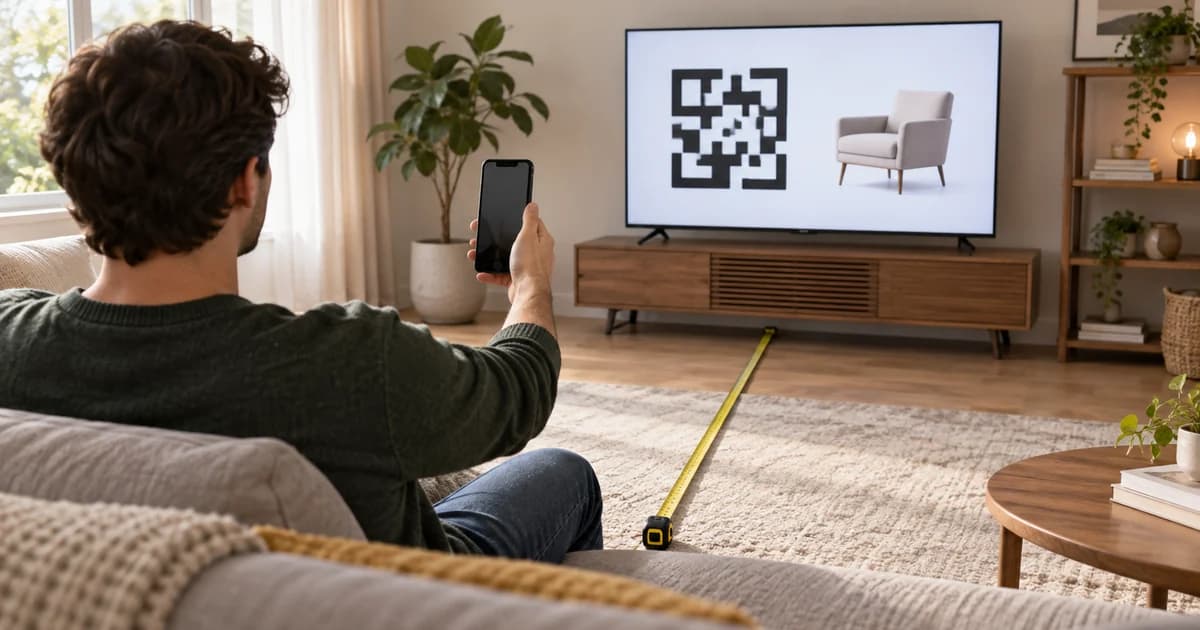
Your CTV spot contains a 320-pixel QR code in a 1,920-by-1,080 frame. Someone asks the question every team eventually asks: How far away will it scan?
A source-frame size cannot answer that by itself. The defensible answer is a campaign test: send candidate treatments through the same overlay, player, or transcoding path the viewer will receive; display that output on the intended TV setup; and record whether representative phones open the correct destination within the available QR exposure.
This guide gives you that method and a finished kit. It includes four candidate field cards, a blank 216-attempt recording sheet, a blank summary sheet, an acceptance-rule template, a geometry calculator, a worked geometry comparison, and three completed CTA-to-landing-page scenarios. It does not claim that any included size passes at a particular real-world distance. The geometry examples help choose candidates; the field records capture actual scan results.
The central rule is simple: test the entire handoff, not just the square. A usable result must connect the TV promise, the rendered QR, the phone pickup, the correct destination, and the first useful mobile action.
Define the question before you measure distance
A scan-distance test should not hunt for the farthest lucky read. It should answer a release question under declared conditions:
At the campaign’s primary viewing position and within the actual uninterrupted QR exposure, can the selected phones open the correct destination and show the promised first mobile action?
That wording matters. “Scannable” can mean several different things: a camera noticed a code; a link preview appeared; a browser opened; a redirect reached the correct URL; or the promised product, plan, or offer loaded. A campaign can succeed at one step and fail at the next.
Write the acceptance rule before seeing results. Name the primary seat that must pass, the secondary seat that should provide margin, the phones or camera classes you will include, the available exposure time, and the landing-page state you expect. The kit’s acceptance-rule template includes a concrete example, but it is not a platform standard.
Start with a phone task worth the interruption
The QR code is not the call to action. The useful phone task it unlocks is the call to action. A CTV viewer is leaning back, several feet from the screen, and may not have a camera open. “Learn more” asks that person to interrupt the viewing experience without naming the payoff.
A stronger handoff aligns five things:
- The TV creates interest in one product, offer, plan, or action.
- The CTA names what the viewer can do on the phone.
- The QR destination preserves the exact context shown on TV.
- The first mobile control pays off the CTA immediately.
- Measurement continues past the scan to that promised action.
Before storyboarding the QR frame, complete this sentence:
Scan to [perform a specific useful task] for [the thing shown on TV].
Checking a size, building the shown bundle, seeing local availability, saving an itinerary, scheduling a visit, or continuing a configuration gives the viewer a reason to move. The destination then has a production requirement: it must continue the sentence the television started.
Three completed CTA-to-landing-page scenarios
The following are original fictional teaching examples, not observed campaigns or performance case studies. The QR codes use reserved example.com URLs for layout and decoder testing.
Scenario 1: Continue the exact product choice
Fictional brand: Weeknight Table, a meal-box service
TV CTA: Scan to build your first box
Support line: Pick three dinners. See your delivery day.
The ad shows three finished meals. The QR opens a mobile box builder with those same meals already selected. The first button says Choose these 3 meals; the viewer can swap a meal, confirm a delivery date, or continue to checkout.
The weak version opens a home page and makes the viewer rediscover the meals. The stronger version carries TV state into phone state. Its measurement chain is:
valid_qr_session → meal_selected → checkout_started

Scenario 2: Answer the next buying question
Fictional brand: Morrow Running
TV CTA: Scan to check your size
Support line: See delivery and pickup for the shoe on screen.
The QR opens the exact Aero Trail shoe in the Moss color. Size choices appear before reviews, brand history, or related products. After a size tap, the page returns delivery and pickup availability. The first useful action is not “browse”; it is select a size.
The TV created product desire. The phone resolves the next buying uncertainty. The measurement chain is:
valid_qr_session → size_selected → stock_result_viewed

Scenario 3: Save value instead of forcing a purchase
Fictional brand: Cedar Pass, a trail destination
TV CTA: Scan to save the 2-day trail plan
Support line: Open the map, stops, and packing list on your phone.
The destination opens a two-day itinerary with Day 1’s map as the first action. It includes stops, a light packing list, and a save option. The handoff does not pretend that a high-consideration trip must become an immediate booking. It gives the viewer something useful enough to keep.
Its measurement chain is:
valid_qr_session → itinerary_opened → save_action

The downloadable kit also includes an interactive three-scenario viewer and a filled scenario brief plus reusable worksheet. Use the structure, not the fictional brands or placeholder URLs.
Identify the QR production path before you test
Do not create one universal “QR master” until the media path is known. The IAB Tech Lab’s 2025 Digital Video and CTV Ad Format Guidelines describe two common implementations: the advertiser burns a QR into the creative, or the sell side generates and assembles it dynamically. The guideline also separates QR behavior from the underlying video encoding specification.
| Production path | What must be tested | Common risk |
|---|---|---|
| Platform- or sell-side generated | The actual platform-rendered overlay or an approved QA output that represents it | A manually embedded surrogate may have different size, timing, position, eligibility, or tracking |
| Burned into the video | A delivered or transcoded rendition from the intended serving path | The source PNG or mezzanine may hide scaling, compression, overscan, overlay conflict, or cross-device reuse problems |
Current platform documentation shows why this distinction changes the test:
- Google Ads Help says eligible Demand Gen and Performance Max CTV treatments are generated by the system and advises advertisers not to embed the code directly. Google also says the position and appearance timing are fixed, the treatment is unavailable on YouTube TV and Google TV inventory, and some TVs cannot support the player resizing required to show it.
- Amazon’s Prime Video Pause Ad specifications request an optional advertiser-supplied 196-by-196-pixel QR PNG for that specific format. By contrast, Amazon’s broader Streaming TV and Prime Video specifications say third-party-served Prime Video interactive video currently supports remote-click “Send to Phone,” not QR interactivity. One Amazon workflow cannot stand in for another.
- Microsoft Monetize’s CTV specifications warn that publisher requirements may change and state that Netflix inventory in that workflow does not allow QR codes in creatives.
Create a delivery matrix before testing: supply source, format, locale, serving method, who generates the QR, allowed destination, position, timing, reporting fields, and approval rule. The test target is what the viewer receives, not whichever file is easiest to open on a laptop.
Build a controlled candidate set
The kit provides four 1,920-by-1,080 field cards with QR source widths of 240, 320, 400, and 480 pixels. These are experimental levels, not recommendations and not validated distances. Replace them when a publisher template fixes the size. Their purpose is to let you vary one visible factor while keeping payload, placement, background, and framing stable.

Download individual full-resolution field cards: 240px, 320px, 400px, 480px.
Four construction principles should remain constant across candidates:
Protect the quiet zone. DENSO WAVE specifies a clear margin four modules wide on every side in its QR code-area guidance. A border, label, texture, product edge, or platform overlay inside that margin changes the code you thought you were testing.
Favor larger modules, not merely a larger container. DENSO WAVE’s module-size guidance explains that larger modules are generally more stable and easier for scanners to read. Enlarging the symbol and reducing the number of modules can both create margin.
Keep the payload compact. DENSO WAVE’s version guidance explains that QR versions use different module configurations and capacities. A long tagged destination can make the same on-screen square denser. A compact first-party redirect can preserve attribution without encoding the entire analytics string.
Choose error correction for the rendered environment. DENSO WAVE’s error-correction overview notes that raising the level improves recovery capability but also increases the data needed by the code. Do not assume that the highest level is automatically the easiest CTV symbol to scan.
Use a stationary, high-contrast code on a stable field. Avoid animation, stretching, soft edges, cropping, moving detail behind the symbol, and decorative logos unless the final version is regenerated and retested. Provider templates still take precedence. For example, Innovid’s Interactive CTV Design Best Practices provide provider-specific placeholder sizes and recommend a shorter URL; Amazon’s pause format supplies a different fixed asset requirement. Neither is a universal CTV minimum.
Run the scan-distance test
The full CTV QR scan-distance protocol and blank 216-attempt recording sheet are ready to use. The blank 36-condition summary sheet helps turn repeated attempts into a release decision.
1. Lock the conditions
Record the delivery path, format, TV model and diagonal, player or app, playback resolution, scaling or overscan mode, room light, candidate size, payload, phone model and OS, distance, angle, and uninterrupted QR exposure. If any of those changes materially, you have a different test.
The supplied sheet uses 6, 9, and 12 feet—about 1.8, 2.7, and 3.7 meters—as replaceable starter points. Mark the campaign’s real primary seat first. Add secondary positions that reflect the room or venue rather than treating the starter grid as a standard.
2. Use the delivered treatment
For an embedded QR, upload or pass the asset through the same transcoding and player path intended for the campaign. For a platform-generated QR, use the platform-rendered treatment or an approved QA representation of it. Do not substitute a hand-placed code when the platform controls rendering, because that tests a different object.
3. Start each attempt normally
Begin with the phone down and the camera closed. Start timing when the QR becomes visible. The participant picks up the phone, opens the normal camera or approved scanner, and attempts the handoff without coaching. Stop when the correct destination is open—not when a link preview first appears—and record whether zoom was used.
Run three attempts per phone and condition. Use at least two materially different phone-camera combinations. Randomize candidate order so repeated attempts do not simply become a memory exercise.
4. Record where the handoff broke
| Observation | What it isolates |
|---|---|
| QR rendered: yes / no / partial | Eligibility, overlay assembly, or player support |
| CTA readable: yes / no | Creative communication at the declared seat |
| Code detected: yes / no | Visual capture and decoding |
| Correct URL opened: yes / no | Payload, redirect, browser, or deep-link routing |
| Landing state correct: yes / no | Product, offer, variant, consent, or session continuity |
| Promised task visible: yes / no | Whether the phone fulfilled the TV promise |
| Time to correct open | Whether the complete action fit the exposure and user flow |
A single “pass” column hides the diagnosis. A visible code that never decodes needs a different fix from a correctly decoded URL that opens the wrong product page.
5. Apply the rule you wrote first
The kit’s example primary rule requires 6 of 6 correct opens across two phones and three attempts each, no wrong destination, completion within the actual QR exposure, and the promised first mobile action visible after load. Its secondary-seat example requires 5 of 6. These are original production thresholds to make the worksheet usable, not platform requirements.
Do not weaken the rule because a preferred layout fails. Diagnose first: enlarge modules, shorten the payload, restore quiet zone, increase contrast, remove motion, increase stable exposure, repair the redirect, or change the destination state. When a platform fixes size or timing, the available levers may be CTA clarity, landing-page continuity, eligible supply, or the decision not to use that path.
Compare QR geometry before field testing
You can compare the geometric demands of candidate codes before booking a TV test. A shorter payload can reduce the number of modules that must fit inside the same square. That gives each module more image area, but it does not establish that a phone will scan it.
The worked calculation below uses a 55-inch 16:9 display showing the full 1,920-pixel-wide source frame. The camera model has a 1,920-pixel horizontal frame and a 65-degree horizontal field of view, centered square-on to the display. Compare a 33-module square with a 57-module square, both totals including the quiet zone. These totals correspond to Version 2 and Version 8 QR layouts, respectively.
Physical QR width equals TV width multiplied by the fraction of the source frame occupied by the QR. Projected camera width equals physical QR width divided by viewing distance, multiplied by camera focal length in pixels. Divide that projection by the total module count to compare pixels per module.
| QR width in a 1,920px frame | Physical width on this TV | 33 modules: pixels/module at 6 / 9 / 12 ft | 57 modules: pixels/module at 6 / 9 / 12 ft |
|---|---|---|---|
| 240 | 5.99 in | 3.80 / 2.53 / 1.90 | 2.20 / 1.47 / 1.10 |
| 320 | 7.99 in | 5.07 / 3.38 / 2.53 | 2.93 / 1.96 / 1.47 |
| 400 | 9.99 in | 6.33 / 4.22 / 3.17 | 3.67 / 2.44 / 1.83 |
| 480 | 11.98 in | 7.60 / 5.07 / 3.80 | 4.40 / 2.93 / 2.20 |
For example, a 320-pixel code spans about 7.99 inches on this TV. At 9 feet, the camera model projects it to about 111 pixels: 3.38 pixels per module for the 33-module code, versus 1.96 for the 57-module code. This comparison explains why payload density deserves attention; it is not a pass threshold. Focus, glare, perspective, motion, compression, display processing, and phone behavior remain outside this calculation.
Use the geometry calculator to change these assumptions, then run the field protocol on the actual delivered creative. Record only observed campaign results in the blank field sheets.
Give the viewer enough uninterrupted time
A readable code can still fail if it appears without warning or disappears while the viewer is unlocking a phone. Confirm the actual format behavior rather than assuming the QR is present for the full spot.
Google’s current documentation says eligible YouTube Select and Reservation non-skippable in-stream treatments reveal the QR after five seconds, while eligible Demand Gen and Performance Max skippable in-stream treatments show it from the beginning of the skippable period. Google also says position and timing are fixed. In that environment, the creative should lead into the platform’s QR moment instead of animating a competing code elsewhere.
For a permitted embedded execution, a proposed 30-second structure might look like this:
| Time | Creative job | QR treatment |
|---|---|---|
| 0–8s | Establish the product and problem | No QR; avoid teaching two actions at once |
| 8–19s | Demonstrate the differentiating proof | Reserve the future QR area if another layer will use it |
| 19–22s | Name the phone task | Spoken and on-screen CTA: “Check your size” |
| 22–30s | Hold the exact product and payoff | Stable code or confirmed platform overlay; no competing new message |
This is an original teaching timeline, not a timing standard. The test uses the uninterrupted exposure delivered by the actual format.
Test the landing page in the same attempt
The phone page is part of the creative system. Carry over the exact product, variant, offer, or plan. Put the promised control first. A viewer who scanned to check a size should see the size selector before an email gate; a viewer who scanned to save a plan should be able to inspect the plan before a booking form.
Test the routes that matter: logged in and logged out, app installed and web fallback, iOS and Android, consent accepted and undecided, redirect alive and expired. A first-party short redirect can help the team update a destination and preserve a controlled fallback, but it must not become an opaque shared code that erases creative-level learning.
For destination analytics, Google Analytics’ URL-builder guidance documents utm_source, utm_medium, and utm_campaign, with utm_content available to distinguish creatives. Parameter values are case-sensitive, so choose one naming convention. A practical tagged destination is:
utm_source=prime_video&utm_medium=ctv&utm_campaign=trail_launch&utm_content=scan_check_size
The QR itself can point to a compact first-party URL that redirects to that destination. Keep the redirect ID, creative ID, supply source, and final URL documented under the privacy and consent rules that apply to the campaign.
Measure the handoff without turning scans into sales lift
A scan is evidence that a viewer continued the handoff. It is not evidence of incremental sales. Keep the stages separate:
| Stage | Practical event or denominator | Question |
|---|---|---|
| QR opportunity | Eligible impressions where the code was rendered, when available | Did the viewer actually receive a QR? |
| Valid QR session | Deduplicated redirect or destination session | Did the phone handoff begin? |
| Landing success | Expected page and state loaded | Did the technical route work? |
| Promised task | Size selected, box configured, itinerary opened, or equivalent | Did the destination pay off the CTA? |
| Business outcome | Checkout, lead, booking, store visit, or another defined result | Did the session progress to the campaign goal? |
Metric definitions can change. In a September 27, 2024 announcement, Amazon said QR scans for Interactive Video Ads would enter existing click metrics, while scan-driven conversions for advertisers selling on Amazon would enter existing conversion metrics. That is a reporting-definition change, not proof that the creative became more effective.
A sales-lift claim needs an incrementality design: a defined eligible population, comparable control or holdout, outcome window, and primary metric. Do not turn scan-attributed orders into causal evidence by changing the label.
CTV QR test-and-release checklist
Before trafficking a QR treatment, verify that:
- The supply source, format, locale, serving method, and current publisher rule are identified.
- The team knows whether the platform or advertiser generates the code.
- The test uses the platform-rendered treatment or delivered rendition, not only a source file.
- The CTA names one useful phone task.
- The landing page opens the exact product, offer, variant, or plan shown on TV.
- Payload, redirect, final URL, fallback, and expiration behavior are documented.
- Quiet zone, contrast, safe zones, and overlay clearance survive the final treatment.
- Primary and secondary viewing positions are declared before testing.
- At least two representative phone-camera combinations are included.
- Repeated attempts begin with the phone down and camera closed.
- The prewritten acceptance rule is applied without moving the threshold afterward.
- Geometry calculations remain separate from observed field results.
- Scan, session, task-completion, conversion, and incrementality claims remain distinct.
A useful CTV QR test does not promise a universal distance. It gives a team a reproducible way to decide whether one delivered treatment works for its declared room, device, timing, and landing-page conditions. Give the viewer a reason to pick up the phone, test the complete handoff, and record enough detail to know what to fix.
Sources
- Digital Video and CTV Ad Format Guidelines, version 2.0 — IAB Tech Lab, 2025 update.
- About QR codes for Connected TV — Google Ads Help, checked September 9, 2026.
- Prime Video Pause Ad Specifications — Amazon Ads, checked September 9, 2026.
- Streaming TV and Prime Video ad specs — Amazon Ads, checked September 9, 2026.
- Measure QR code interactions for Interactive Video Ads — Amazon Ads, September 27, 2024.
- Microsoft Monetize — Creative CTV guidelines and specifications — Microsoft Learn, last updated October 21, 2025; checked September 9, 2026.
- Interactive CTV Design Best Practices — Innovid Knowledge Base, last updated October 9, 2024.
- Point for determining the code area — DENSO WAVE.
- Point for setting the module size — DENSO WAVE.
- Information capacity and versions of QR Code — DENSO WAVE.
- Error correction feature — DENSO WAVE.
- URL builders: Collect campaign data with custom URLs — Google Analytics Help, checked September 9, 2026.