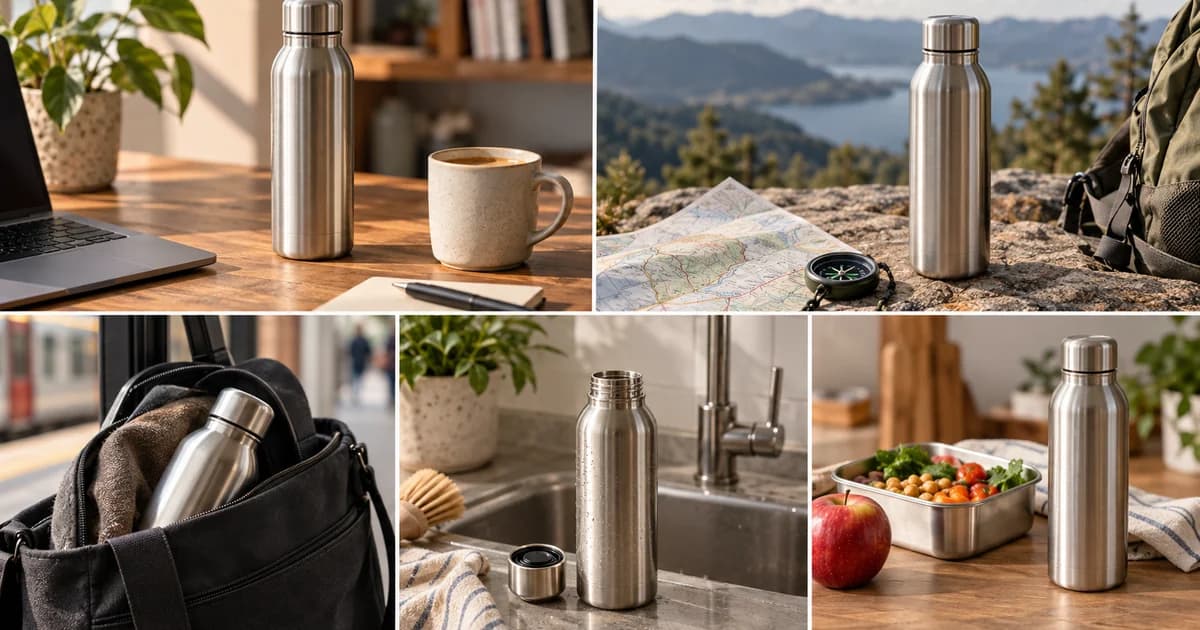
You have five approved product photos, a logo, a web address, and no budget for another shoot. The weak solution is to drop each photo on a three-second timeline, add cross-dissolves, and call the result a television ad. The stronger solution is to give every still a different narrative job, use restrained motion to control attention, write one message-sized line for each shot, and make sound carry the sequence.
That is enough to build a credible short CTV ad—provided the photos survive a 16:9 crop, the product remains truthful, and the export is made for a named publisher rather than an imaginary universal specification. QuickFrame has publicly described one CTV/OTT example as using existing photography, motion stills, and customized voiceover. That description establishes that the production route is real; it does not establish campaign performance. See QuickFrame’s April 2025 article.
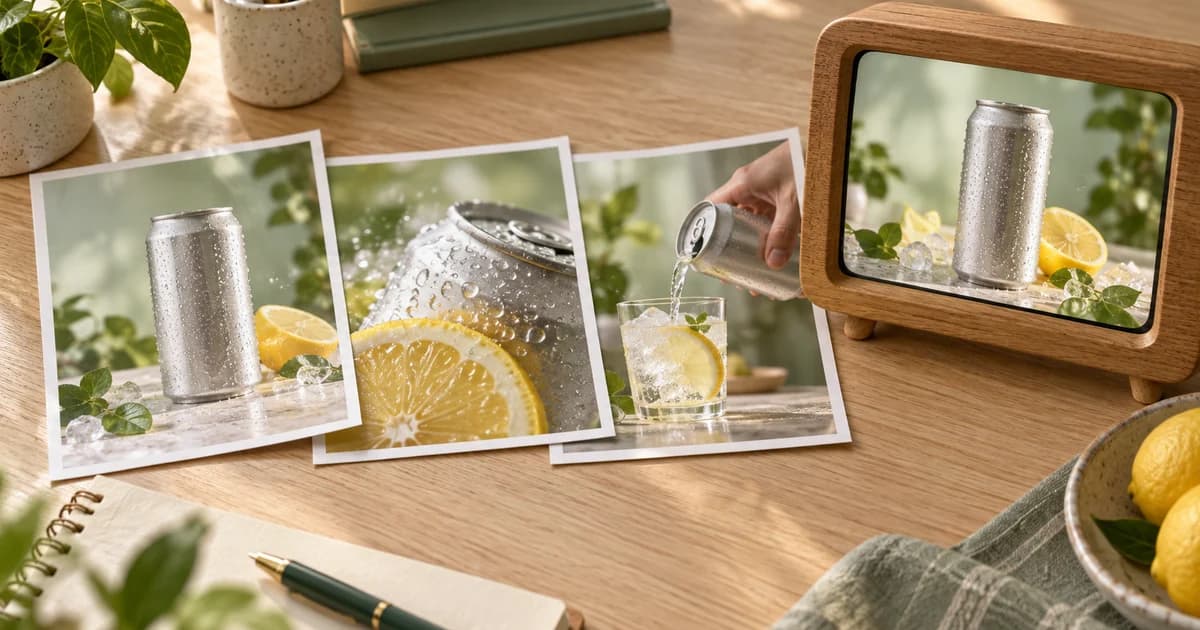
This guide includes a completed original teaching example: a nominal 15-second ad for the fictional Morrow Sparkling Tea, assembled from five original photo-style stills. You can open the smaller review copy, inspect the high-bitrate 1080p file, and reuse the filled layer map. The example is not a live campaign, a publisher-approved creative, or evidence of results.
Decide where the ad will run before you animate anything
“CTV” describes a viewing environment, not one upload preset. A safe working direction is 16:9, 1920×1080, progressive video, a constant accepted frame rate, a high-quality MP4, and stereo audio. It is still only a direction. The final bitrate, container, duration, safe zone, audio treatment, and review process depend on the publisher and buying route.
The differences are large enough to affect your master file:
| Delivery question | Google Display & Video 360 CTV guidance | Amazon Streaming TV / Prime Video | Roku Self Serve | Production decision |
|---|---|---|---|---|
| Frame size | 1920×1080 preferred for mezzanine and high quality | 1920×1080 minimum | Not stated in the cited overview | Build the composition at 1920×1080 unless the target says otherwise |
| Container / codec | MP4 required for CTV; the page lists MP4 delivery tiers | Site-served video requires MP4; H.264, MPEG-2, and MPEG-4 are supported | MOV or MP4; AVC or ProRes 422 HQ | Keep an editable master, then make the exact target upload |
| Frame rate | 23.98 or 29.97; 25 for PAL countries; no duplicate frames | Constant 23.976, 24, 25, or 29.97 | 23.98, 25, or 29.97 | Preserve a native accepted cadence instead of manufacturing frames |
| Video bitrate | 15–30 Mbps for the listed mezzanine tier | Prime Video minimum 15 Mbps; other listed supply minimum 8 Mbps; 50 Mbps recommended for Prime campaigns | Minimum 6 Mbps | Do not label one bitrate “CTV-ready” without naming the destination |
| Audio | 192 kbps, 48 kHz | At least 192 kbps; 44.1 or 48 kHz; at least two channels | At least 96 kbps; two-channel stereo; 48 kHz | Use the target’s audio and loudness instructions, not just your editor default |
| File / review | Up to 1 GB when hosted in DV360; some exchanges require publisher approval | Up to 500 MB; available lengths vary by supply and market | Up to 1 GB; technical review followed by a stated two-to-three-business-day content review | Schedule upload and review as a separate production stage |
Those values come from the current Google CTV creative guidance, Amazon Streaming TV and Prime Video specifications, and Roku creative technical requirements. They are not interchangeable presets.
The practical answer is to export two classes of file. Keep a clean, high-quality working master with no platform-specific overlay baked in unless it belongs in every version. Then derive a named delivery file—such as morrow_prime_us_15s_2997_v03.mp4—from the current specification for that placement. IAB Tech Lab’s CTV programmatic guide distinguishes a high-quality mezzanine asset from ready-to-serve versions because server-side ad insertion systems may need to transcode and stitch an ad into streams of different qualities. That is another reason to preserve a strong source rather than repeatedly transcoding a small review copy. See the IAB Tech Lab CTV Programmatic Guide.
Give the five photos five different jobs
Do not rank the photos by which one looks most expensive. Rank them by what they let the sequence say.
| Photo role | What to look for | What the shot should accomplish |
|---|---|---|
| 1. Hero | Product is unmistakable, with usable negative space | Establish the category, brand, and visual tone |
| 2. Proof or detail | Ingredient, material, feature, texture, or close-up | Make the promise more specific |
| 3. Action proxy | Pouring, opening, wearing, holding, applying, or another truthful use state | Supply direction and a sense of change without inventing product behavior |
| 4. Context | Product in a room, routine, daypart, or audience-relevant setting | Give the product a recognizable moment |
| 5. Range or end card | Stable composition, clean pack, logo, or product family | Close with a memory structure and one next step |
The order can change, but the jobs should not collapse into five near-identical pack shots. In the Morrow example, the five stills are a hero can, an ingredient composition, a pour, an afternoon desk scene, and a three-flavor lineup. The filled photo-selection matrix records why each one was kept.
Run three checks before writing copy. First, crop every candidate to 16:9. A beautiful vertical image may become useless when the product, hand, and headline cannot coexist in a television frame. Second, confirm resolution headroom. A 10% push-in on a 1920×1080 canvas needs approximately 2112×1188 source pixels before extra reframing; a 2400×1350 still gives more room. Third, compare product truth across the set. Packaging, color, included accessories, ingredient appearance, and visible claims should not contradict one another.
When no photo shows use or action, do not fake liquid pouring, fabric stretching, a screen changing, or a product opening. Use an honest detail shot and let the edit create progression. The camera may move across the photograph; the product should not appear to perform an action that the source never captured.
Write the 15-second spine before opening the editor
A sequence made from stills needs a sentence-level structure even when it has no voiceover. Write the five beats first. Each beat should either introduce, sharpen, demonstrate, contextualize, or close the same central idea.
A generic line such as “Refresh your day with delicious premium sparkling tea” tries to carry category, emotion, taste, quality, and occasion at once. It also sounds like copy that could belong to almost any beverage. The Morrow teaching example distributes the work:
- A brighter tea break — category-adjacent mood and opening frame.
- Real tea. Bright citrus. — a more concrete sensory cue.
- Lightly sparkling. — texture, paired with the pour image.
- Your 3 p.m. reset. — a recognizable usage moment.
- Three bright flavors — range, brand, and readable destination.
None of those lines claims a health effect, a measured ingredient advantage, popularity, or performance. They organize what the fictional images can support. Apply the same discipline to a real product: use approved product facts, not adjectives added because television feels important.
At 15.015 seconds, the demo gives each still about three seconds. That is not a mandatory pacing formula. It is a useful constraint for this asset set because every shot has one idea and a visibly different composition. If one image needs two lines of explanation, either simplify the message or give it more time by removing another beat.
Build motion, text, and sound as three synchronized layers
Motion: animate the viewer’s attention, not the product
Restrained camera motion prevents a still-image ad from feeling abandoned on the timeline. It does not need to announce itself. In the demo, the hero receives a centered 1.00-to-1.075 push-in; the ingredient frame pans left to right at a 1.105 crop; the pour gets a small push and downward drift; the lifestyle scene pans in the opposite direction; and the final lineup pulls back from 1.08 to 1.00.
Each move has a reason. The hero push concentrates attention. The ingredient pan reveals the can within a busier composition. The pour’s downward motion follows the liquid direction already present in the still. The lifestyle pan changes rhythm and lets the daypart copy own the quiet side of the frame. The final pull-back makes the range feel complete.
Avoid four common shortcuts:
- Do not apply the same zoom direction and speed to every image.
- Do not enlarge beyond the source resolution merely to create activity.
- Do not separate a product into artificial parallax layers unless the masks, hidden edges, and perspective survive a large display.
- Do not use motion interpolation to manufacture frames from a still; choose an accepted constant timeline rate and render the camera move at that rate.
Keep the text as a separate layer. Text baked into a photo becomes harder to resize, reposition, localize, or protect from cropping, and it may soften during image scaling.
Text: design for a room, not a phone in your hand
A CTV viewer may be several feet from the screen and may look away between shots. That makes brevity, scale, contrast, and dwell time more important than decorative typography. The demo uses one headline-sized idea per scene, a short supporting label, and a final readable domain. Its internal composition check keeps critical copy inside a 10% margin, but that is a house rule for this example—not a universal CTV specification.
Use the publisher’s actual safe-zone template. Amazon, for example, provides a Prime Video safe-zone reference and warns that edge pixels can be lost to overscan. Amazon also says non-interactive streaming TV ads should not use click-shaped calls to action such as a “learn more” button. A plain, readable URL or instruction is more honest when the environment is not interactive. See Amazon’s additional requirements and safe-zone guidance.
The Morrow end card therefore shows the brand and morrowtea.example without a fake button. The .example domain is deliberately non-operational; it prevents a fictional teaching asset from directing viewers to a real site.
Sound: make the five cuts feel like one piece
Sound can provide continuity that the photographs cannot. The demo uses an original stereo pad across all five shots, a short pluck around each transition, and a three-note final chime. There is no voiceover. The bed establishes one emotional space, the plucks confirm movement between beats, and the chime marks the close.
A voiceover is optional, not a repair tool for unclear pictures. Add it when spoken explanation or pronunciation materially improves comprehension. Do not let narration repeat every word already on screen. A stronger division might put the product fact in voice and the memorable phrase in type, or vice versa.
Loudness is part of delivery, not an afterthought. The current ATSC A/85 recommended-practice page says its 2026 revision addresses broadcasters, streaming-media services, and television-audio creators, with guidance on measurement, monitoring, loudness control, and true peak. Use the current publisher requirement as the final authority. For this teaching file, the mix was normalized to a conservative house target of -24 LUFS with a -2 dBTP ceiling; analysis of the encoded file measured -23.9 LUFS integrated and -14.6 dBTP true peak. The low peak is a property of this gentle music-and-effects mix, not a required target. See ATSC A/85:2026-07.
The completed five-photo ad, scene by scene
Watch the 1080p review copy. The table below separates the layers so the example can be rebuilt rather than merely admired.
| Time | Photo and narrative job | Motion layer | Text layer | Sound layer |
|---|---|---|---|---|
| 0:00–0:03 | Hero can; establish category and mood | Slow centered push-in, 1.00→1.075 | “A brighter tea break” plus brand | Airy chord bed begins |
| 0:03–0:06 | Ingredients; make the promise sensory | Left-to-right pan at 1.105 crop | “Real tea. Bright citrus.” | First transition pluck |
| 0:06–0:09 | Pour; provide texture and action direction | Gentle push with downward drift | “Lightly sparkling.” | Second transition pluck |
| 0:09–0:12 | Afternoon desk; attach a moment | Right-to-left pan at 1.085 crop | “Your 3 p.m. reset.” | Third transition pluck |
| 0:12–0:15.015 | Three-flavor lineup; close on brand memory | Slow pull-back, 1.08→1.00 | “Three bright flavors,” brand, and URL | Final pluck and three-note chime |

The final high-bitrate file was measured rather than described from export settings. It is 15.015 seconds, 1920×1080, 16:9, progressive H.264 High Profile with YUV 4:2:0 pixels, and a constant 30000/1001 frame rate. It contains 450 frames. The measured video bitrate is about 15.05 Mbps; audio is stereo AAC-LC at approximately 193 kbps and 48 kHz. The file is about 28.63 MB in decimal units.
That bitrate clears the 15 Mbps threshold in Google’s recommendation and Amazon Prime Video’s 15 Mbps minimum, and it exceeds Roku’s 6 Mbps minimum. It does not meet Amazon’s 50 Mbps recommendation for Prime Video campaigns, and satisfying a headline bitrate does not establish platform acceptance. A target-specific transcode would still be required when the publisher asks for a different codec, bitrate, duration, loudness target, or safe zone.
The package includes the machine-readable probe output, loudness analysis log, sampled-frame QA contact sheet, and complete QA report.
Run big-screen QA as a separate edit pass
A laptop timeline encourages you to read small type, tolerate edge crowding, and pause on every frame. A living-room viewing pass does not. Review the ad at normal speed first, from a realistic distance, without touching the controls. You should be able to answer four questions immediately: What is the product? What is the one message? Which moment or need does it belong to? What should I remember after the final frame?
Then run a technical pass:
- Watch muted. Confirm that the visual sequence and text still communicate the central idea.
- Listen without studying the screen. Check that transitions are intentional and the end is audible without a jump in level.
- Inspect the first and last frames. Avoid accidental black frames, clipped fades, or an end card that disappears before it can be read.
- Check every edge using the destination’s safe-zone template, not a remembered percentage.
- Pause at the largest zoom. Examine labels, masks, grain, gradients, and any AI-generated detail for television-sized artifacts.
- Confirm duration, cadence, scan type, codec, bitrate, audio channels, sample rate, loudness, and file size with a probe—not only the export-dialog summary.
Both supplied MP4s decoded end to end: 450 video frames and 704 decoded audio frames each. This establishes file readability, not playback on a physical television. For your own campaign, perform the viewing-distance and sound checks before submitting the delivery file.
Treat technical conformity and publisher approval as different gates
A file can have the right dimensions and still be unapproved. Google says its CTV eligibility column performs only a limited set of checks and notes that FreeWheel, Netflix, and Disney inventory can require publisher approval before serving. Roku describes a technical review followed by a manual content review that takes two to three business days. These are operational gates, not creative-export settings. See the Google approval and eligibility guidance and Roku review process.
Use this sequence for a real campaign:
- Name the publisher, exchange, market, placement, ad length, and interactivity type.
- Retrieve the current specification and safe-zone file from that route.
- Make and probe the target-specific delivery encode from your clean master.
- Upload early enough for both automated and manual review.
- Record the actual status. “Uploaded,” “technically eligible,” “submitted for approval,” and “approved” are different states.
The Morrow file has not been uploaded to an ad account, submitted to a publisher, or manually reviewed. Its correct status is built and locally checked, but unsubmitted and unapproved.
Know when the photographs are not sufficient
A photo-only build is economical, but it is not magic. Stop or change the concept when the source set creates one of these problems:
| Source problem | Better response |
|---|---|
| Every image is vertical and tightly cropped | Place the best product cutout on a designed 16:9 brand field, or obtain a wider approved source; do not stretch the photo |
| The pack design changes between images | Use one version consistently or explain the range deliberately; do not hide the mismatch in fast cuts |
| All five photos show the same angle | Build a shorter, simpler ad around one product truth instead of pretending there is a five-beat story |
| No image shows use | Choose detail, context, or comparison that is genuinely visible; do not fabricate action |
| The label becomes soft at the planned zoom | Reduce the move, keep the product smaller, or obtain a higher-resolution pack shot |
| Promotional or legal copy is baked into the image | Verify it for the target market and date, or exclude that image |
| Rights, releases, or product claims are unclear | Resolve the clearance before animation; motion does not cure an approval problem |
The strongest photo-based CTV ad is not the one with the most movement. It is the one that turns a limited asset set into a clear sequence without pretending the photographs contain more evidence than they do.
The production recipe
Start with a named destination and current delivery sheet. Select five photos by narrative role. Crop them to 16:9 and calculate zoom headroom. Write one central promise and distribute it across five beats. Animate the camera with a reason. Keep text separate, large, and within the publisher’s safe zone. Use sound to join the cuts. Export a high-quality working master and a target-specific upload. Probe the file, watch it on an actual television, then submit it early enough for review.
That workflow does not turn five photographs into live-action footage. It does something more useful: it turns assets you already own into an honest, inspectable CTV story.
Sources
- Connected TV creatives — Google Display & Video 360 Help. File recommendations, mezzanine and ready-to-serve guidance, eligibility checks, and publisher approval notes. Accessed September 9, 2026.
- Streaming TV & Prime Video ad specs — Amazon Ads. Technical specifications, duration by supply and market, non-interactive CTA guidance, and Prime Video safe-zone reference. Accessed September 9, 2026.
- Creative technical requirements — Roku Self Serve Help Center, March 11, 2025. Video/audio requirements and review sequence. Accessed September 9, 2026.
- Connected TV with Highlights for SSAI — IAB Tech Lab, updated February 14, 2024. CTV delivery, mezzanine, ready-to-serve assets, VAST, and SSAI context. Accessed September 9, 2026.
- A/85, Techniques for Establishing and Maintaining Audio Loudness for Digital Television — ATSC, current version approved July 8, 2026. Television and streaming-audio loudness practice. Accessed September 9, 2026.
- Creative Tips for Connected TV (CTV) and OTT Video Ads — QuickFrame, April 16, 2025. Practitioner example described as using existing photography, motion stills, and customized voiceover. Accessed September 9, 2026.