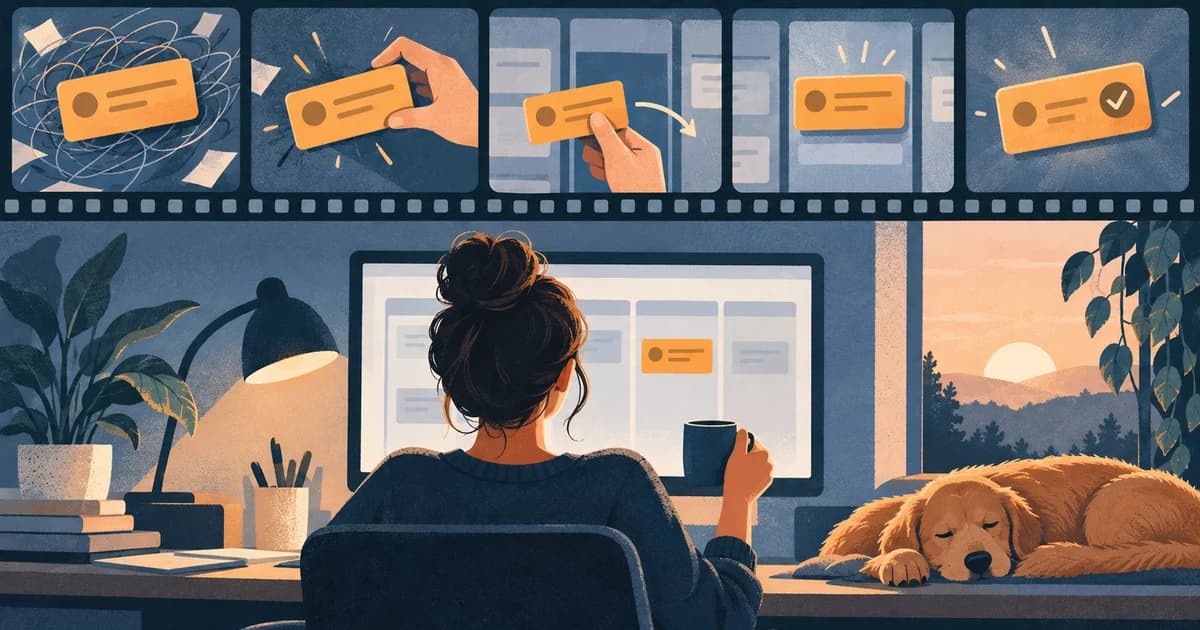
You have 24 seconds, one product task, and a dashboard that can explain almost anything. What should the opening communicate?
The tempting answer is to show the payoff: the polished report, the booked meeting, the assigned task, or the cleaned-up video. That works when the outcome is legible and credible at a glance. But a payoff can be abstract or ambiguous. A green status badge may prove much less than the voiceover implies.
A better rule is to lead with the first piece of evidence the intended buyer needs:
- Use payoff-first when the end state is clear, credible, and valuable at a glance.
- Use workflow-first when the mechanism is the differentiator or the buyer’s main objection is “Does it really work that way?”
- Use context-first when the audience will not understand why the result matters without seeing the problem, constraint, or use case.
That is not an argument against dashboards. It is an argument against touring an interface before choosing what the interface must prove.
The Opening Is an Evidence Decision, Not a Style Rule
Most short SaaS ads try to connect four things: a user problem, an action, a product state, and a desired result. The weak version turns that chain into a feature inventory. The stronger version chooses one job and preserves only the detail that makes the claim inspectable.
A useful way to control the claim is to separate five proof levels:
- Problem observed: the viewer can see the unfinished, confusing, or risky starting state.
- Interface action: the viewer can see what the user actually does.
- Product state: the software visibly changes.
- External state: something outside the interface is delivered, received, scheduled, or published.
- Business result: revenue, time saved, fewer errors, higher conversion, or another measured outcome changes.

The distinction matters because one screen can have several possible origins. FreshBooks, for example, documents an email flow in which selecting Send Invoice marks the invoice as sent. But its separate Share via Link instructions say that generating a shareable link can also mark a draft invoice as Sent. A Sent badge is therefore a product state. By itself, it is not proof that an email was delivered, that the client opened the invoice, or that the invoice was paid.
That example gives the editor a concrete choice. If the ad promises “create a client-ready invoice,” a payoff-first preview may be enough. If it promises “send the invoice to your client,” keep the recipient and sending action. If it promises “get paid,” the product screen is no longer the final proof; the ad needs a verified payment event or a narrower claim.
Five Documented Campaign Records—and What Their Message Order Suggests
The records in this set do not support one universal message structure—and they do not support a visual-opening comparison. The accessible material is a mix of timed voiceover records, an untimed transcript, a secondary scene description, and a producer description.
| Evidence label | What was actually available | What it does not prove |
|---|---|---|
| Timed voiceover/message order | A public registry attached timestamps to spoken copy. | The first frame, when a product or UI appears, scene cuts, on-screen text, or viewer response. |
| Untimed transcript | The sequence of spoken wording was readable without reliable timestamps. | Exact seconds, runtime, or visual scene order. |
| Reported scene or producer description | Another publisher described a sequence or the producer described the creative emphasis. | Direct playback by this research or frame-accurate visual timing. |
| Proposed timing | The five original storyboards below assign seconds to planned shots. | A brand’s live execution, an observed campaign, or performance. |
None of the five brand videos was played during this research. The campaign table therefore describes only the evidence type named in each row.
| Campaign record | Accessible evidence and order | Supported message structure | Editorial use and boundary |
|---|---|---|---|
| Zendesk, “Helpful AI agents” | A 15-second UK timed voiceover record begins at 00:00 with copy about a hard-to-read teenager, names the maker marketplace’s use of Zendesk at 00:03, and states the advertised AI-agent result at 00:06. | Spoken problem/context → product name → advertised outcome | The voiceover delays the product name until after the human situation. It does not establish when Zendesk, its UI, or any product imagery appears. |
| Zendesk, “AI that knows it’s all about YOU” | The 15-second timed voiceover record introduces a musician changing direction at 00:00, states the gear problem at 00:03, names Zendesk AI at 00:05, and describes a personalized pick at 00:08. | Spoken context → problem → product name → advertised outcome | A specific customer situation makes the spoken personalization claim concrete. The record does not establish a dashboard-free visual opening or exact scene order. |
| Atlassian, “It starts with Jira” | The original untimed transcript begins with completion language—“We did it”—then works backward through code, ads, designs, and the project’s start. A secondary scene account—not our playback observation—describes a finished “Flying Egg Car” followed by a flashback to the idea. | Spoken completion-first; a secondary source reports a visual rewind | This supports a payoff-first-with-rewind hypothesis. The actual first frame, scene boundaries, and timing remain unverified. |
| Descript, “Damn, Jenny!” | Producer Sandwich says its Descript spots are driven from the editing room and calls this one a detailed look at editing. The exact first scene, runtime, spoken order, and interface sequence were not accessible. | Producer-reported workflow emphasis; exact opening unknown | Product specificity can still be the creative idea when the unfamiliar interaction is what the buyer needs to believe. The producer’s “best performing” description has no public metric, denominator, or comparison design. |
| Hnry, April cutdown | A 24-second Australian timed voiceover record begins at 00:00 with a tax hook, defines Hnry as more than an accountant or software by 00:06, describes removing tax and admin burden from 00:08, and states time, stress, and money benefits at 00:17. | Spoken context/offer → burden → advertised benefits | The spoken copy defines a software-enabled service without narrating a UI workflow. The record does not establish whether UI appears visually. |
The useful lesson is not “copy Jira” or “copy Zendesk.” These records support different message structures and creative hypotheses, not verified visual openings. Zendesk’s timed voiceover establishes human context before naming the product. Jira’s transcript supplies completion language first, while a secondary source reports a rewind. Descript’s producer makes product specificity central but leaves the exact opening unknown. Hnry’s voiceover defines the offer before benefit language without documenting the visual treatment.
Public availability is not outcome data. A live upload, a gallery entry, a producer’s favorite spot, views, likes, or comments do not establish that one message structure or visual opening caused more conversions than another. Use these records to generate storyboard options, not to manufacture a winning first shot.
Five Short SaaS Ad Storyboards That Cut the Tour but Keep the Proof
The next five treatments are original teaching examples, not observed brand ads or campaign results. The product behavior is tied to public documentation, while the inputs, on-screen actions, timing, and edits are proposed. Apart from the clearly dated Grammarly example, the on-screen data is fictional. Every timestamp in this section is proposed production timing, not an observed timestamp from the campaign records above.
1. Descript: Remove the False Start, Then Prove the Media Changed
Job: A creator removes a spoken false start from a video.
Descript’s current documentation says the transcript is linked to the underlying media: deleting selected words removes the corresponding audio or video from the composition. The edit is non-destructive and reversible. It also distinguishes deletion from Ignore, which leaves struck-through text visible but prevents playback, and from Remove from transcript, which hides text while keeping the media. Those distinctions are the reason the interface can be persuasive evidence here. (Edit like a doc; Deleting vs. ignoring script text)
Proposed 24-second cut
- 0–3s: Select “Let me start again.” inside the synthetic transcript: “Let me start again. The draft is ready for review.”
- 3–8s: Press Backspace and show the selected sentence disappear.
- 8–16s: Play the same passage before and after, keeping the transcript and playback relationship visible.
- 16–21s: Hold on “The draft is ready for review.” without opening effects, recording settings, or the AI-tool catalog.
- 21–24s: CTA: “See text-based editing.”
Keep: the selected words, the actual command, and the resulting media. Cut: imports, file trees, templates, effects, and every feature that does not answer “Did the spoken section go away?”
Change the opening when: the audience already understands transcript editing and can hear a convincing before/after. Then the clean result can lead and the deletion can follow. In a muted feed, however, a clean transcript cannot prove that the audio sounds clean. Narrow the claim or make the audible comparison available.
2. Jira: Assign One Piece of Work Without Losing Its Parent
Job: A coordinator turns part of a larger launch into a clearly owned subtask.
Atlassian’s current Jira Cloud instructions distinguish company-managed subtasks from team-managed child work items. In a company-managed space, subtasks also depend on admin configuration. The documented creation path begins from the parent work item and uses Add or create related work → Create subtask before adding the summary. That dependency is not production trivia; it defines what the ad must keep on screen. (Create a work item and a subtask)
Proposed 25-second cut
- 0–4s: Open the fictional parent Launch checklist and identify one unowned part.
- 4–10s: Create the subtask Review landing-page copy from that parent.
- 10–16s: Assign the fictional owner Alex.
- 16–21s: Show the child title, its parent, and Alex in one readable composition.
- 21–25s: CTA: “See how work stays connected.”
Keep: child, parent, and owner. Cut: the backlog, sprint plan, timeline, releases, reports, and integrations. Cropping tightly around the assignee would destroy half the proof; shrinking the entire dashboard would make all three fields unreadable.
Change the opening when: an experienced project-operations audience can read the final child/parent/owner state at a glance. Then open on that payoff and rewind to its creation. For a less familiar audience, begin with the unowned piece of work. Do not imply that Jira writes the copy or completes the launch.
3. Grammarly: Show the Rewrite, but Keep the Human Decision
Job: A writer reviews whether a tone suggestion matches the intended message.
This treatment uses a historical Grammarly product example updated on October 26, 2022—not a claim that today’s product will generate the same output. The example changes “Let me know if you can’t finish the sales presentation” to “Let me know if you need help finishing the sales presentation.” That visible rewrite is concrete, but it does more than change a tone label: it turns a request for notice into an offer of help. The sender still has to decide whether that is the intended meaning. (Historical tone rewrite announcement)
Grammarly’s current support page describes sentence-level tone suggestions as a beta feature for paid plans and distinguishes them from its broader tone detector. (How Grammarly’s tone suggestions work)
Proposed 22-second cut
- 0–4s: Show the original sentence and highlight the words that will change.
- 4–11s: Put the documented rewrite beside it.
- 11–17s: Show the accept/dismiss decision, with copy that asks whether the offer of help is intended.
- 17–19s: Hold on the selected sentence.
- 19–22s: CTA: “Review a tone suggestion.”
Keep: the exact words before and after, plus the decision. Cut: the document score, every other suggestion, and generic claims about “better writing.”
Change the opening when: the buyer’s main question is the final tone. A result-first side-by-side can lead. When the objection is that AI may change meaning, the comparison and human review are the proof; a cheerful “Positive” badge is not.
4. FreshBooks: Show the Sending Action, Not a Payment Fantasy
Job: A small service business sends a prepared invoice to a client.
Use a fictional invoice: DEMO001, Sample Client, client@example.com, one Creative review line item at $600. Taxes, discounts, payment processing, and legal invoice requirements are outside this example.
FreshBooks says a new invoice can be saved as Draft. In the email path, the user selects recipients and Send Invoice, after which the invoice is marked Sent. But, as noted earlier, Share via Link can also create a Sent state. (How to create an invoice)
Proposed 24-second cut
- 0–4s: Show DEMO001 as a client-ready invoice—not as money earned.
- 4–10s: Open the email path and select client@example.com.
- 10–16s: Show Send Invoice.
- 16–20s: Return to the same invoice marked Sent with the on-screen clarification: “Sent is not paid.”
- 20–24s: CTA: “See invoice sending.”
Keep: invoice identity, recipient, sending action, and resulting status. Cut: revenue charts, expenses, tax reports, and unrelated invoice controls.
Change the opening when: the promise is only “create a polished invoice.” Then the finished preview can lead. When the promise is delivery, show the route that produced the status. When the promise is payment, this storyboard is insufficient; an external payment event must replace the status badge as the payoff.
5. Calendly: Let the Blocked Slot Explain the Available Slots
Job: A host offers a 30-minute remote meeting to an invitee in another time zone without exposing a known Busy period.
Use this fictional setup: September 15, 2026; host availability from 10:00 a.m. to noon in New York; 30-minute duration and 30-minute start increments; no buffers; one 10:30–11:00 event marked Busy on a calendar selected for conflict checking; time-zone lock off; and no other restrictions.
Calendly’s current help says the relevant calendar or subcalendar must be selected for conflict checking and the event must be marked Busy. It also treats start-time increments, buffers, notice, and time-zone behavior as separate controls. Calendly shows availability in the invitee’s local time and handles daylight-saving changes. (Conflict troubleshooting; Availability settings; Time zones overview)
The four candidate intervals are 10:00–10:30, 10:30–11:00, 11:00–11:30, and 11:30–12:00. Only the second overlaps the Busy event, so this model leaves three starts: 10:00, 11:00, and 11:30 New York time. On that date, 11:00 a.m. in New York is 8:00 a.m. in Los Angeles. If the conflict were marked Free instead, all four starts would remain under the stated assumptions.
Proposed 25-second cut
- 0–4s: Show the 10:30–11:00 Busy block and the relevant date/time zone.
- 4–10s: Show the invitee page offering the three remaining starts.
- 10–15s: Select 8:00 a.m. Los Angeles and pair it with 11:00 a.m. New York.
- 15–21s: Continue through the proposed invitee flow without claiming a real booking occurred.
- 21–25s: CTA: “Check your booking page.”
Keep: Busy/Free status, duration, offered slots, and time zone. Cut: the integrations directory, event-type catalog, and a tour of every availability control.
Change the opening when: the audience already trusts the calendar logic and mainly wants to see the invitee experience. Then the three-slot booking page can lead. When the objection is double-booking or time-zone reliability, the rule and blocked interval deserve the opening.
How to Choose the First Four Seconds
The decision can be made without declaring one format universally better. Write the proposed claim, then ask what the viewer must inspect before the claim becomes believable.
| Start with… | Use it when… | Do not hide… | Common failure |
|---|---|---|---|
| Payoff | The final state is specific, legible, and cannot easily be mistaken for a different outcome. | The product action that makes the result credible, shown immediately after. | A generic success screen, chart, or checkmark that could belong to any SaaS product. |
| Workflow | The mechanism is unfamiliar, differentiated, or central to the buyer’s objection. | The input, decisive action, and changed state. | A click-by-click tour with no defined job or visible result. |
| Context/problem | The audience needs the situation before the feature means anything. | The exact friction the product will address. | Spending half the ad on a broad problem every buyer already knows. |
| Objection or constraint | Trust depends on a boundary: meaning preservation, recipient identity, Busy/Free logic, permissions, or another failure mode. | The rule that resolves the objection. | Replacing evidence with a verbal reassurance such as “seamless” or “secure.” |
Use the companion SaaS Ad Opening Decision Lab to compare payoff-, workflow-, and context-first versions of the five examples. It is an original teaching demo with fictional data, not a campaign-performance predictor.
Make Sure the Proof Survives the Placement
The same edit can make different claims in different placements.
LinkedIn says its video ads autoplay in the feed with sound muted by default and strongly recommends captions. That changes the Descript example: captions can explain that words were deleted, but they cannot let a muted viewer hear whether the audio edit sounds natural. If audible quality is the proof, the creative needs a sound-on path or a narrower on-screen claim. (LinkedIn Video Ads)
Google’s documentation says skippable in-stream viewers can skip after five seconds. That is a format condition, not a scientific rule that all SaaS viewers lose attention at second five. The practical implication is narrower: decide what must be established before skipping becomes available. (Google Ads video formats)
Scale and crop matter too. A close crop on Jira’s assignee can remove the parent relationship. A crop on Calendly’s available slots can hide the time zone and make 8:00 and 11:00 look contradictory. A wide dashboard shot can preserve everything while making the proof unreadable. Preview the final cut at the actual placement size, muted and unmuted, and record which proof-bearing detail disappears.
Test the Opening, Not a Different Offer
The claim “payoff-first converts better” requires a comparison, not a collection of examples. A useful test keeps the product task, proof scenes, offer, CTA, landing page, audience rules, attribution window, and distribution conditions as constant as possible. The primary difference should be opening order.
Consider this fictional teaching dataset. Each arm contains 10,000 eligible, unique, randomly assigned people. The primary event is completion of the advertised task within seven days; the secondary event is at least one click by the assigned person.
| Metric | A: Payoff-first | B: Workflow-first |
|---|---|---|
| Assigned people | 10,000 | 10,000 |
| Unique clickers | 200 | 160 |
| Unique clicker rate | 2.00% | 1.60% |
| People completing the primary event | 20 | 24 |
| Primary event rate | 0.20% | 0.24% |
Version A has a 0.40 percentage-point advantage in unique clicker rate. Version B has a 0.04 percentage-point advantage in the primary event rate, which is a 20% relative difference from A’s 0.20% rate.
This does not make B a winner. The numbers are invented, there is no uncertainty or power analysis, and four additional events may be noise. The example shows why the decision metric must be selected before reading the dashboard: the more clickable opening and the higher primary-event count can point in different directions.
Google Ads currently distinguishes basic and custom video experiments, and the available route depends on campaign type. Whatever platform you use, confirm the experiment method supported by the actual campaign rather than assuming every account exposes the same A/B workflow. (Create a video experiment)
The Practical Rule
Do not ask, “How quickly can we get to the dashboard?” Ask, “What must this audience see for our claim to become credible?”
Lead with the payoff when the result carries its own meaning. Lead with the workflow when the mechanism is the reason to believe. Lead with context or an objection when the product screen would otherwise arrive without a problem to solve.
Then cut aggressively—but cut around the proof, not through it. Keep the words that changed, the parent that gives a task context, the recipient that makes sending specific, the Busy rule that removes a slot, or the audible before/after that establishes a media edit. Everything else has to earn its seconds.
And when you want to claim that one opening performs better, test that opening against the same offer and measure the outcome you actually care about.
Sources
Campaign and creative records
- Helpful AI agents | Zendesk, Zendesk watch URL; the video was not played or visually inspected in this research. The timed voiceover record dates the UK creative to May 2, 2024.
- AI that knows it’s all about YOU | Zendesk, Zendesk watch URL; the video was not played or visually inspected in this research. The timed voiceover record dates the UK creative to May 2, 2024.
- The Customer Is Always Human, Sam Bathe; producer campaign description.
- It starts with Jira, Atlassian on LinkedIn; original post and untimed transcript. Atlassian | It starts with Jira!, Black Camel Agency, August 12, 2025; secondary scene account, not a direct playback observation.
- Descript — A New Way to Edit, Sandwich; producer description of “Damn, Jenny!” The exact opening was not played or observed.
- Hnry Ad Insights | Australia, 2024, AdInception, June 13, 2024; timed voiceover/message record. The gated video was not played or visually inspected.
Product behavior
- Edit like a doc and Deleting vs. ignoring script text, Descript Help Center.
- Create a work item and a subtask, Atlassian Support.
- Introducing Grammarly’s New Tone Rewrite Suggestions, Grammarly, updated October 26, 2022; How do Grammarly’s tone suggestions work?, Grammarly Support.
- How do I create an invoice? and How do I use share via link?, FreshBooks Support.
- How to troubleshoot available times that should be unavailable, Calendly Help, updated September 4, 2026; How to fine-tune your availability settings and Time Zones overview, Calendly Help, updated August 20, 2026.
Placement and testing
- About video ad formats and Create a video experiment, Google Ads Help.
- Video Ads with LinkedIn, LinkedIn Marketing Solutions.