At 7:40, the host finishes the first demonstration, looks toward the comments, and asks, “So… any questions?” Nothing appears. The product is no longer in frame, the operator is searching for the next product tag, and the silence has no visible purpose. A short pause has turned into dead air.
The fix is not a 30-minute monologue. Build a run of show that always assigns the next observable action: the viewer decision, host cue, camera or demonstration action, active product, moderator cue, and fallback for quiet chat or broken technology. Rehearse those actions at real performance speed.
The completed example uses one hero product, two related accessories, recurring questions, a late-joiner reset, and a two-minute flex block for recovery or a bonus demonstration. It is an original teaching plan, not observed footage or a performance benchmark. It can reduce improvisational gaps; it cannot guarantee viewers, clicks, checkouts, or sales.
Plan beats, not paragraphs
A full script can make a first-time host sound as though they are reading. A list of product names creates the opposite problem: the host knows what is next, but not how to get there. The useful middle ground is a beat—a short unit in which something changes on screen or in the viewer’s understanding.
Each beat needs six fields:
| Field | The question it answers | A usable entry |
|---|---|---|
| Viewer decision | What uncertainty should be smaller at the end? | “Will this work on my cooktop?” |
| Host cue | What sentence starts the beat? | “Let’s answer the fit question first.” |
| Visible action | What changes in frame? | Move from wide shot to a close view of the skillet base. |
| Product state | Which product is being discussed and tagged? | 10.25-inch skillet active; accessories unpinned. |
| Team cue | What does the producer or moderator do? | Confirm the tag, collect cooktop questions, watch stream health. |
| Recovery | What happens if chat or technology contributes nothing? | Answer the prepared compatibility question and continue the close-up. |
TikTok Shop’s U.S. LIVE Shopping lesson puts the room, script, products, moderation, and advance testing on the pre-LIVE checklist. Its LIVE content structure guide recommends looping demonstrations and interaction because viewers arrive at different times. The timing can change; the host should not be the only system holding the sequence together.
Dead air is not the same as silence. “I’m holding this edge close for five seconds so you can inspect it” gives the pause a visible job. Looking offscreen without explanation does not.
Narrow the first 30 minutes to one purchase decision
A first broadcast needs a decision, not a catalog tour. Choose one hero product and no more than two supporting products that resolve distinct objections:
- What is the main product and who is it for?
- What might stop a reasonable shopper from choosing it?
- Which demonstration or accessory answers each objection?
The filled example uses three real Lodge products solely as a teaching case; it is not sponsored or affiliated. Facts were checked on the manufacturer’s U.S. pages on September 9, 2026. Price, inventory, shipping, and promotions are not hard-coded; the operator must verify them in the live product card immediately before air.
The approved fact card is short:
- The Lodge Classic Cast Iron Skillet is offered in a 10.25-inch size. Lodge lists the line as made in the USA, seasoned with natural vegetable oil, and compatible with stovetops including induction, as well as ovens, grills, and campfires. Lodge’s care direction is to hand-wash, dry, and oil it.
- The Lodge Pan Scrapers are rigid polycarbonate tools with different edge angles; Lodge describes them as dishwasher-safe and designed not to collect food particles.
- The Lodge Deluxe Silicone Hot Handle Holder is listed for Lodge traditional-style handles nine inches and larger and for getting a secure grip on hot cast iron up to 550°F. The same page says it is not for direct flame, oven use, cooking, grilling, or baking.
Those facts support the demonstrations without inviting upgrades such as “naturally seasoned” to “nonstick,” “secure grip” to “burn-proof,” or “cast to last” to an unconditional lifetime promise.
The complete 30-minute live shopping run of show
This timeline totals 30:00. It was desk-rehearsed as an operator sequence through every scheduled product-state change and five failure branches. That confirms continuity and timing arithmetic, not camera performance. The actual host and operator still need an account-, room-, product-, connection-, and checkout-specific rehearsal.

| Time | Job | Host and visual action | Product or interface state | Quiet-chat or technical fallback |
|---|---|---|---|---|
| 0:00–0:45 | Cold open and orientation | Put the skillet in frame immediately. Say which three decisions the session will answer: cooktop fit, cleanup, and hot-handle handling. Give the truthful relationship disclosure if one is required. | Skillet selected and visible. | If the product card is missing, say it is not visible yet and continue the physical introduction without telling viewers to buy. |
| 0:45–2:00 | Route map and first response | Preview the three demonstrations. Ask viewers to answer with “fit,” “cleanup,” or “handle” so the moderator can sort interest. | Keep the skillet active. Producer confirms audio, picture, and product state. | Treat the prompt as a poll; do not wait for replies before moving on. |
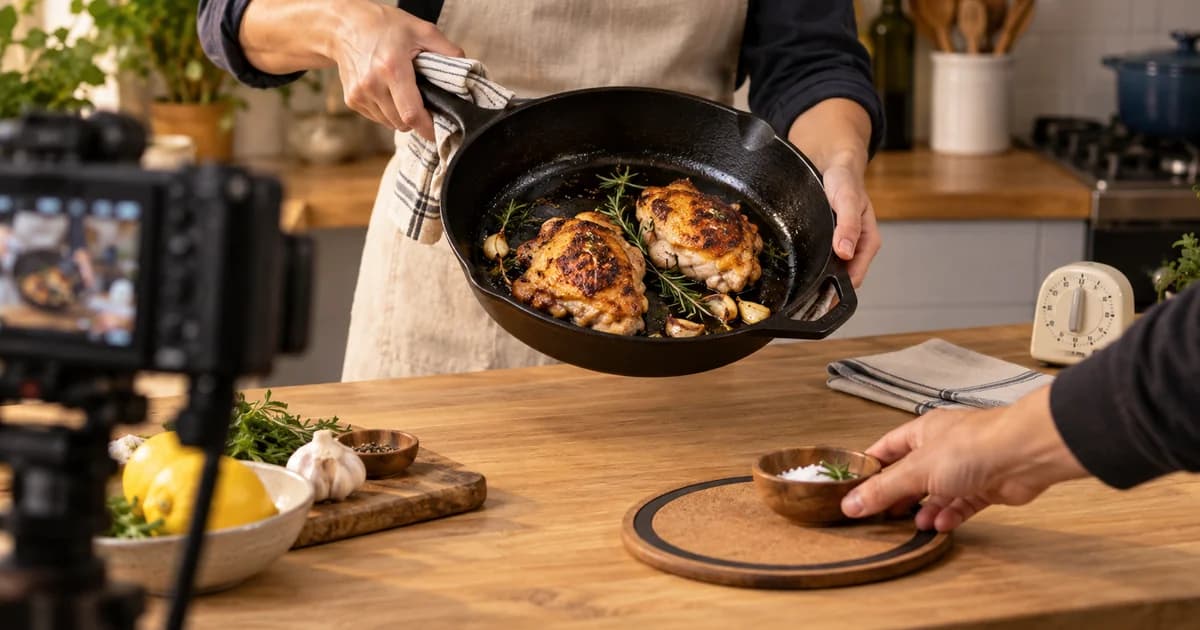
| 2:00–4:30 | Physical tour | Move to a close shot. Show the cooking surface, two pour spouts, main handle, and assist handle. State only approved construction and seasoning facts. | Skillet remains active. Moderator groups size and material questions. | Narrate the camera move: “I’m bringing the rim closer so you can see the shape.” |
| 4:30–7:00 | Compatibility decision | Place the room-temperature skillet beside clearly labeled, unpowered cooktop props or cards. Explain the manufacturer-listed heat-source compatibility. Do not present the cold setup as a heat-performance test. | Skillet active; compatibility card on screen. | Seeded question: “Does the manufacturer list induction?” Answer from the fact sheet, then show the base again. |
| 7:00–8:30 | Focused Q&A | Answer up to two fit questions. Repeat each question before answering so viewers joining late understand the context. | Skillet stays pinned while it is discussed. | If no live question is ready, answer: “What should I verify before choosing a size?” Keep the answer general and avoid inventing household capacity claims. |
| 8:30–10:00 | Transition to cleanup | Use the objection bridge: “The pan is only half the decision; cleanup is where many first-time buyers hesitate.” Bring the cooled demonstration pan and scrapers into frame. | Producer changes the active product to the pan scrapers only after they are visible. | If the tag change is delayed, keep naming the skillet until the operator confirms the scraper card. |
| 10:00–13:00 | Scraper demonstration | On a fully cooled pan, remove a prepared patch of dried food residue. Show how the different scraper angles meet a flat area and a curved edge. State the documented material and care facts. | Pan scrapers active. Close camera on hand and pan edge. | If the residue releases too easily or not at all, describe the result honestly; show the tool geometry instead of pretending the demo succeeded. |
| 13:00–15:00 | Care sequence and questions | Lay out three cards: hand-wash, dry, oil. Explain that this is Lodge’s care direction for the skillet. Answer one cleanup question. Keep water away from live equipment. | Scraper active until the answer ends; skillet can remain visible but untagged. | Prepared FAQ: “Can the scrapers go in a dishwasher?” Answer from the approved fact sheet. |
| 15:00–16:00 | Late-joiner reset | Reintroduce the session in one sentence, recap the skillet and scraper, and preview the handle-holder safety demonstration. Repeat a required relationship disclosure. | Briefly return to skillet, then cue the holder. | This is the built-in recovery point if earlier sections ran up to 45 seconds long. Shorten the recap, not the safety warning. |
| 16:00–19:00 | Handle-holder fit demo | On a cold 10.25-inch skillet, slide the holder on and off, show the grip area, and state the listed fit range. | Holder active only after it enters frame. | If it does not fit the exact sample cleanly, stop. Do not force it or generalize; return to the documented fit wording. |
| 19:00–21:00 | Safety objection | Answer the question viewers are likely to have: “Do I leave this on while I cook?” Clearly say no, then list the manufacturer’s restrictions: no direct flame, oven, cooking, grilling, or baking. | Holder stays active and the cold-state label remains visible. | If the host misses the warning, the producer uses the “SAFETY” cue in the controller before any transition. |
| 21:00–23:00 | Choose by job | Compare the three jobs: skillet for cooking, scraper for cooled-pan cleanup, holder for a secure grip on a compatible handle within its documented limits. Show one product at a time. | Operator switches tags only when the named product is prominent. | If tag switching is unreliable, stop rotating products and keep one verified card active while verbally summarizing the others without a purchase prompt. |
| 23:00–25:30 | Moderated Q&A | Moderator sends the best unanswered question plus one clarification. Host repeats the product name, answers from the fact card, and closes each answer with a visual action. | Active tag follows the question’s product. | Use labeled prepared FAQs; never invent a viewer name, comment, order, or testimonial. |
| 25:30–27:30 | Flex: recovery or bonus proof | Healthy stream: repeat the strongest close-up or demonstrate one scraper angle again. Problem stream: run the matching recovery card for tag, audio, camera, demo, or price/inventory uncertainty. | Keep the last verified product state. | This block is the shock absorber. Do not rush the final safety statement or invent urgency to recover lost time. |
| 27:30–29:00 | Decision recap | Give a three-line recap based on jobs, not hype. Invite one final product-specific question and point to the current product card for live commercial details. | Rotate only if the operator can verify each state; otherwise keep one card. | If behind schedule, remove the final question but keep the recap accurate. |
| 29:00–30:00 | Close | State what was demonstrated, where current price and availability appear, and what the next live session will cover if that session is actually scheduled. Thank viewers and end cleanly. | Final verified product card; no surprise product. | If commercial details are uncertain, say they are being checked and omit them. Never create a countdown, stock claim, or guarantee on the spot. |
The first two minutes establish what will be shown and how to participate. The middle alternates proof and response. The 15-minute reset serves viewers who missed the opening.
Write the high-risk lines in full
Most of the run of show should use cues rather than paragraphs. Write exact language only where improvisation creates factual, legal, or operational risk.
Opening
“If your cast-iron decision comes down to cooktop fit, cleanup, or the hot handle, we’ll answer all three in the next 30 minutes. The 10.25-inch skillet is the product on screen now. Tell us which question matters most: fit, cleanup, or handle.”
This gives the viewer a reason to stay without manufacturing urgency.
Product transition
“We have shown where the skillet can be used. Now let’s address the part that often stops a first purchase: what cleanup looks like after the pan has cooled.”
The unresolved objection carries the viewer into the next product; “Next up, our scrapers” merely changes the subject.
Technical bridge
“The product card is not visible on our side, so I’m not going to direct you to checkout until we confirm it. I’ll keep the product in frame and recap the feature we already verified while the operator resets the card.”
This is more trustworthy than filling the gap with an improvised URL, price, or discount.
Relationship disclosure
For a U.S.-facing endorsement with a material connection, put approved disclosure language in the run of show. The FTC’s influencer guidance says it should be hard to miss and repeated during a livestream for partial-session viewers. 16 CFR Part 255 explains why both visual and audible disclosure can be clearer when the claim uses both. Have the responsible compliance owner approve the wording for the host, market, platform, and relationship; this is not legal advice.
Ask questions the host can survive without answers
“Any questions?” transfers control to a chat that may be quiet, delayed, or repetitive. Use a three-step ladder instead.
First, ask a constrained question: “Which matters most—fit, cleanup, or handle?” Next, ask for a detail that helps route the answer: “Induction, gas, electric, grill, or something else?” Only then invite an open question. The host can continue after either of the first two prompts because the next demonstration is already assigned.
The moderator classifies comments, merges duplicates, verifies the answer source, and sends one clean question at a time. YouTube’s live-chat guidance supports assigning moderators, though permissions differ by platform and account.
When chat is quiet, label the fallback: “A question we planned because it changes the choice is…” Never fabricate a username, review, order notification, popularity claim, or testimonial.
Synchronize the spoken product, visible product, and active tag
A product transition has three clocks: the host’s words, the camera, and the commerce interface. The new product is not live merely because the host said its name. A safe handoff is:
- Producer places the next product within reach and confirms the camera.
- Host finishes the previous product’s answer.
- New product enters frame.
- Operator changes the active product or tag.
- Operator gives a visible “ready” cue.
- Host names the new product and begins its fact card.
YouTube Shopping’s tagging guidelines say tagged products should be identifiable, prominently shown, mentioned, relevant, and used as intended. TikTok’s U.S. guidance similarly pairs the active pin with the discussed product. Do not show one product while the host and card refer to another.
If the interface lags, keep speaking about the verified current product until the operator gives the ready cue.
Use a recovery ladder before you improvise
Use this recovery ladder before improvising:
- Name the visible action. “I’m turning the pan so you can see the opposite pour spout.”
- Restate the decision. “We are still answering whether the skillet fits your cooking setup.”
- Ask a constrained question. “Are you using induction, gas, or electric?”
- Answer a prepared FAQ. Identify it as prepared, then use the approved fact sheet.
- Reset for late joiners. Give the one-sentence route map.
- Enter the flex block. Use the approved recovery card or bonus demonstration.
Different failures also need different language:
| Failure | Host says | Operator or moderator does | Do not do |
|---|---|---|---|
| Product card or tag missing | Acknowledge that it is not visible and pause the purchase direction. Keep demonstrating verified facts. | Check eligibility and product state; remove and re-add only through the normal platform workflow; post a plain status update if possible. | Do not invent a link, price, coupon, or “just search for it” instruction. |
| Audio problem | Acknowledge the reset if the host can still be heard; otherwise use the prepared visual status card or moderator message. | Check input, mute state, cable, device, and stream health; switch to the tested backup input. | Do not continue a safety demonstration when viewers may not hear the warning. |
| Camera freeze or bad close-up | Say the shot is being reset and summarize the last verified point. | Switch to the tested wide camera or backup device; keep the product name in chat. | Do not describe details the audience cannot currently see. |
| Demonstration fails | State what happened and move to the product geometry, instructions, or prepared FAQ. | Remove the failed prop and cue the next safe beat. | Do not pretend the result was expected or repeat an unsafe action. |
| Price, inventory, or promotion conflicts | Say the commercial detail is being checked and direct viewers only to the verified live card once confirmed. | Compare the product card, checkout, approved offer sheet, and region. | Do not quote a remembered price or create scarcity. |
The cue controller keeps these recovery cards beside the active segment. Download the filled run of show, editable template, and product claim sheet to adapt the plan.
Rehearse movement, truth, and failure
Silent reading is not a rehearsal. The show depends on handling, camera distance, tag changes, moderation, and honest answer time.
Use three passes.
Pass one: truth. The host reads every factual sentence against the approved claim sheet. The operator verifies the exact product variant, current commercial details, required disclosure, and restricted phrases. Remove any line that cannot be sourced or demonstrated honestly.
Pass two: movement and stream quality. Perform every pickup, close-up, tag change, and handoff. YouTube’s live encoder guidance explicitly recommends testing audio and movement similar to the real stream, then monitoring stream health and messages during the event. TikTok’s U.S. preparation lesson likewise recommends testing lighting and having a separate charged device available for comment management. A tabletop plan cannot replace this production pass.
Pass three: failure. Trigger a missing product card, mute the primary audio input, deny the host a live question, and make one demonstration fail safely. The team passes only when the host can acknowledge the issue, protect the claim boundary, and reach the next beat without inventing information.
Time the passes with real actions. Product handling, camera marks, tag cues, and repeated questions expand short lines. Protect safety and disclosure language; trim adjectives and repeated welcomes first.
Review the first broadcast as an operational test
Sales alone do not prove the run of show worked. Review the recording and event log on five dimensions:
| Review dimension | What to mark |
|---|---|
| Timing | Actual start and end of every segment; drift greater than the tolerance your team set before the show. |
| Product alignment | Any moment when spoken product, visible product, and active card did not match. |
| Claim integrity | Unsupported, overstated, outdated, or incomplete factual and commercial statements. |
| Interaction | Which prompts produced usable questions, and which created waiting without a next action. |
| Recovery | Failure type, acknowledgment time, recovery time, and whether the fallback preserved safety and accuracy. |
Place available commerce metrics beside those timestamps, but do not claim causation from one broadcast. First make the show repeatable and truthful; optimize after the team can operate it cleanly.
The run of show is the host’s next action
A useful plan does not say “be engaging.” It names what changes next: product, decision, prompt, active card, transition, and recovery.
Start with one hero product, two objection-solving supports, and a 30-minute clock. Build the rows. Approve the facts. Rehearse every movement and one deliberate failure. During the broadcast, the host should never need to invent the next action—or a product claim—to keep the stream alive.
Sources
- “TikTok LIVE Shopping”, TikTok Shop Academy, United States, May 13, 2026.
- “How to Structure LIVE Content and Tips on Script Design”, TikTok Shop Academy, United States, May 14, 2026.
- “Tag products in your content”, YouTube Help, checked September 9, 2026.
- “Choose live encoder settings, bitrates, and resolutions”, YouTube Help, checked September 9, 2026.
- “Moderate live chat”, YouTube Help, checked September 9, 2026.
- “Disclosures 101 for Social Media Influencers”, Federal Trade Commission, November 2019; checked September 9, 2026.
- 16 CFR Part 255, Guides Concerning Use of Endorsements and Testimonials in Advertising, Electronic Code of Federal Regulations, current page displayed as updated through September 4, 2026 when checked September 9, 2026.
- “Classic Cast Iron Skillet”, Lodge Cast Iron, checked September 9, 2026.
- “Pan Scrapers”, Lodge Cast Iron, checked September 9, 2026.
- “Deluxe Silicone Hot Handle Holder”, Lodge Cast Iron, checked September 9, 2026.