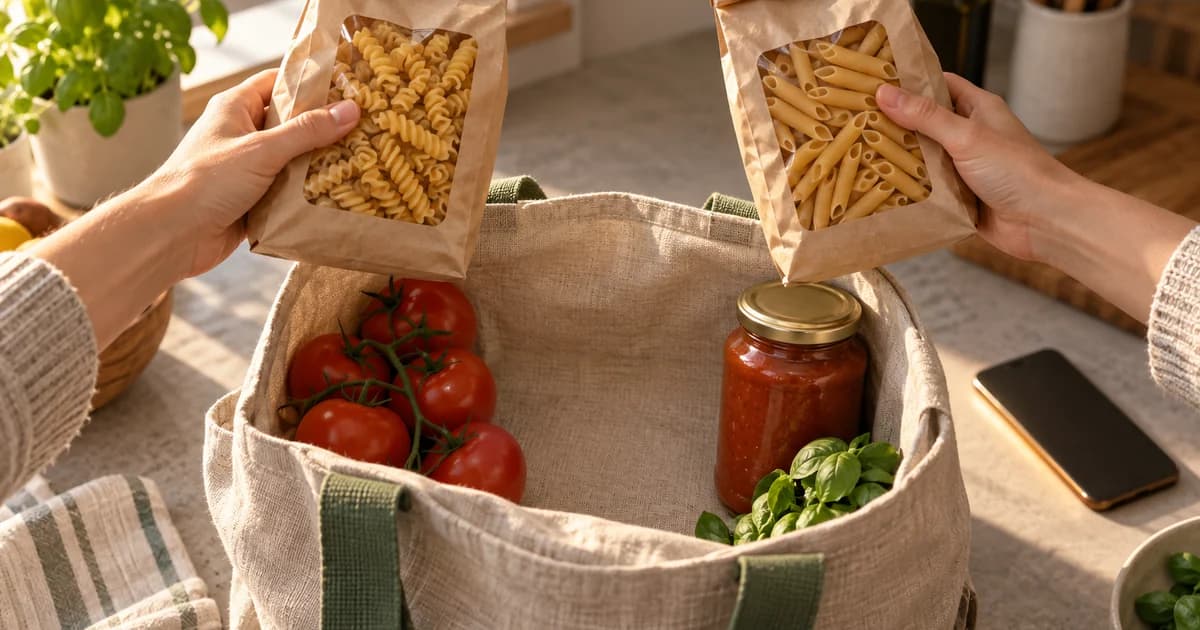
At 5:42 PM, a grocery app learns that the pasta in an active order is unavailable and the customer has 12 minutes to choose a substitute. That is a notification problem. At 10:00 AM, the same app’s marketing calendar says it is “engagement day” and proposes Dinner inspiration is waiting! That is not.
The central rule is simple: interrupt when a verified change creates a useful decision, deadline, or handoff for this person. The copy then has three jobs—name what changed, state the consequence or time window, and take the tap to the place where the person can finish the job.
That standard is consistent with Apple’s description of notifications as timely, high-value information people can understand at a glance and Android’s explicit advice not to notify merely to pull someone back without direct value—for example, “Haven’t seen you in a while!”—in its notification design guidance.
The ten examples below are original teaching examples for Harbor, a fictional meal-planning and grocery-delivery app. They are not screenshots of a live product, campaign results, or claims that any wording will increase engagement.
Start with the moment, not the message
A clever sentence cannot rescue a weak reason to interrupt. In an in-the-wild study published in 2015, researchers collected roughly 70,000 notifications from 35 participants and found that notification content and the recipient’s context both contributed to whether people handled notifications promptly. The study is small, old, and not a benchmark for modern campaign performance, but it supports a durable design point: relevance is a relationship between what happened and when it reached the person, not a property of copy alone. See the full UbiComp paper.
Before writing a title, make the proposed notification pass this test:
| Question | A strong answer | A weak answer |
|---|---|---|
| What exact event occurred? | An SKU became unavailable; a payment failed; a teammate asked a question. | “It has been three days since the user opened the app.” |
| Why does timing matter? | Acting before a deadline changes the outcome, or the user asked to track this event. | The marketing calendar has an open slot. |
| Can the tap finish the job? | It opens the exact order, item, thread, recipe step, or security session. | It opens the home screen and makes the user search. |
| What makes the message stale? | A deadline passes, an order state changes, a price expires, or the question is resolved. | Nothing; the message can arrive days later and still display. |
| Can the person control this class of alerts? | Order changes, product alerts, collaboration, reminders, digest, and security have understandable settings. | One master switch hides a mixed stream of promotions and essential updates. |
Permission is part of that moment design. On Android 13 and later, new installs start with notifications off until the app requests and receives the runtime permission; Android recommends asking in context after the person has encountered the relevant feature, not automatically at first launch. See Notification runtime permission. Apple likewise requires authorization for alert, sound, and badge behavior; its current overview is Asking permission to use notifications.
Interruption level is a separate decision from message wording. Apple distinguishes passive, active, time-sensitive, and critical delivery and warns teams to preserve trust by using elevated delivery only when immediate attention is genuinely relevant. Android channels let people decide which categories can be visible or intrusive. See Apple’s Time Sensitive notifications session and Android’s notification channel guidance.
Ten push notification examples from one app
1. A substitution needs a decision before the order closes
Trigger. The picker marks the exact SKU unavailable, a valid alternative is ready, the order is still editable, and 12 minutes remain before checkout closes.
Choose a pasta substitute
Penne is unavailable. Pick an alternative by 5:54 PM or we’ll refund $3.49.
Tap opens: Order 4821 → Substitution decision. The destination screen shows Unavailable item and price; Two eligible alternatives with dietary details; Use this / Refund buttons; Visible decision deadline.
Delivery and lifecycle. Alerting; short expiry tied to 5:54 PM. Do not send if the customer chose automatic substitutions, already selected “refund,” is viewing the decision screen, or the deadline has passed.
Why this earns the interruption. The message names the changed item, the default outcome, and the deadline. The user can materially change the order by acting now.
2. Payment failed while the delivery slot is still recoverable
Trigger. Authorization fails for an active order and Harbor can still hold the selected delivery slot until 4:20 PM.
Payment needs attention
Update your card by 4:20 PM to keep today’s 6–7 PM delivery slot.
Tap opens: Checkout → Payment step for order 4821. The destination screen shows Order total and held slot; Masked payment methods; Update card button; Cancel order and help options.
Delivery and lifecycle. Alerting; expires when the slot hold ends. Do not send after a successful retry, after the slot is released, or while the customer is already editing payment in the app.
Why this earns the interruption. “Payment failed” alone creates anxiety without a path forward. This version gives the consequence, the available recovery, and the exact cutoff.
3. The courier is close enough that the customer may need to move
Trigger. A stable ETA enters the 8–10 minute band for an active delivery and the customer has not disabled arrival alerts.
Your groceries are 8 minutes away
Meet Alex in the lobby or update your drop-off notes.
Tap opens: Live delivery → Map and drop-off notes. The destination screen shows Current ETA and map; Courier first name; Drop-off instructions; Contact and support controls.
Delivery and lifecycle. Alerting; replaceable live-order update. Send once. Replace the notification if the ETA changes materially; do not emit a new alert for every location update.
Why this earns the interruption. The arrival changes what the customer may need to do in the physical world. The message also offers a useful alternative to waiting in the lobby.
4. The promised delivery window changed enough to affect the evening
Trigger. The latest forecast moves the delivery at least 20 minutes beyond the last customer-facing estimate.
New delivery window: 7:15–7:35 PM
Traffic moved order 4821 by about 25 minutes.
Tap opens: Order status → Revised timeline. The destination screen shows Old and new window; Current route status; Keep / reschedule options when available; Support entry point.
Delivery and lifecycle. Standard alert; current order state replaces old state. Do not send for minor forecast noise. Cancel or replace any earlier “arriving soon” notification that is no longer true.
Why this earns the interruption. The headline contains the new answer. The body explains the magnitude without pretending the estimate is exact.
5. A product is available again after the customer explicitly asked
Trigger. The saved 64 oz oat milk SKU returns above Harbor’s confidence threshold at the customer’s selected store.
Oat milk is back at Green Street
Your saved 64 oz carton is available. See the current price and stock status.
Tap opens: Exact product detail → Green Street store. The destination screen shows Correct brand, size, and store; Current price; Current availability wording; Add to cart and turn off alert.
Delivery and lifecycle. Standard; user-requested product-alert category. Do not send for a different size or store. Cap repeats and stop after the user removes the alert or buys the item.
Why this earns the interruption. This is not a generic promotion. It completes a tracking job the customer created, and it avoids unsupported scarcity language such as “selling fast.”
6. The price crossed a threshold chosen by the customer
Trigger. The exact saved olive-oil SKU is priced at or below the customer’s $12 threshold at the selected store.
Olive oil is now $11.99
That’s below your $12 alert at Green Street. Check the current size and offer.
Tap opens: Price alert detail → Exact SKU and store. The destination screen shows Saved threshold; Current price and unit size; Offer terms when applicable; Add to cart and edit alert.
Delivery and lifecycle. Standard or passive; expires with the offer. Require a real threshold crossing, not repeated sends while the price remains low. Stop after purchase, alert removal, or price expiry.
Why this earns the interruption. The threshold proves relevance. Naming the store and size protects the customer from a technically true but practically misleading price claim.
7. A collaborator asks for a decision, not merely edits the list
Trigger. Jordan directly mentions the customer on one item in the shared “Saturday cookout” list.
Jordan needs your answer
Use gluten-free tortillas for Saturday? Reply in the shared list.
Tap opens: Saturday cookout → Tortillas thread. The destination screen shows Mentioned item in context; Jordan’s question; Reply field or quick choices; Resolved / still open state.
Delivery and lifecycle. Standard; shared-list conversation category. Do not notify for every add, delete, or reorder. Bundle passive edits; alert only on direct mentions or assigned decisions.
Why this earns the interruption. The sender, object, and requested action are clear. A tap does not land on the list’s top; it lands on the unresolved question.
8. A reminder fires at the time the customer selected
Trigger. The customer scheduled “Start chili” for 5:30 PM while saving the meal plan.
Start the chili at 5:30
Your saved plan allows 45 minutes. Open the recipe at step 1.
Tap opens: Chili recipe → Step 1. The destination screen shows First instruction ready; Required ingredients; Start cooking button; Recipe timer controls.
Delivery and lifecycle. Standard local notification; respects the chosen time. Cancel when the recipe is removed, the reminder is disabled, or the user already started the cooking session.
Why this earns the interruption. The customer created both the task and the time. A locally scheduled notification is usually more appropriate than a server broadcast for this kind of reminder.
9. A weekly plan is ready, but nothing requires immediate action
Trigger. At the customer’s chosen Sunday review time, Harbor has a materially updated plan with at least one meal and an ingredient estimate.
Next week’s meal plan is ready
3 dinners, 11 ingredients, estimated total $62. Review when convenient.
Tap opens: Next week → Plan review. The destination screen shows Three meal cards; Ingredient count and estimate basis; Swap and edit controls; Digest preference link.
Delivery and lifecycle. Passive or silent summary. Skip empty or unchanged summaries. Let the customer choose the day, time, and whether this digest appears at all.
Why this earns the interruption. The numbers make the summary scannable, while “when convenient” matches the low urgency. This should not borrow a time-sensitive delivery level.
10. A new-device sign-in may require immediate security action
Trigger. Authentication detects a successful sign-in from a device not previously trusted for this account.
New sign-in to Harbor
A Windows device signed in at 9:14 PM. Review if this wasn’t you.
Tap opens: Security → New session review. The destination screen shows Masked device, browser, and time; Re-authentication gate; This was me / Secure account; Sign out other sessions.
Delivery and lifecycle. Time-sensitive only where appropriate and permitted; security category. Deduplicate the same session, avoid exposing sensitive detail on the lock screen, and do not send after the session has already been reviewed.
Why this earns the interruption. The alert names the event without putting unnecessary account detail on a visible lock screen. The destination supports both the benign and harmful cases.
Ask for permission after the value is visible
Do not make the operating-system prompt the first meaningful screen in the app. Harbor has several natural permission moments: after a customer turns on a back-in-stock alert, schedules the first cooking reminder, submits a delivery order, or joins a shared list. Android’s own examples include asking after someone taps an alert bell, follows an account, or submits a food-delivery order—actions that make the purpose legible before the system dialog appears. See Android’s in-context permission workflow.
A Harbor pre-permission screen could say:
Get the alerts that protect your plan
Harbor can notify you about order decisions, delivery changes, and the saved-item alerts you create. Choose which categories you want.Primary action: Choose alerts
Secondary action: Not now
“Choose alerts” should open an honest preference screen before or alongside the system request. It should not disguise the prompt, claim the app cannot work without permission, or preselect marketing categories that were not part of the user’s action. Someone who declines should still be able to use Harbor and see the same states inside the app.
Build the destination before polishing the notification
A notification is not complete when the title and body are approved. It is complete when a tap can resolve the underlying state.
On Android, the platform guidance says a notification should respond to a tap, usually by opening the activity that corresponds to it. The compact layout also exposes only a small amount of text, so the message cannot carry the full workflow. See Create a notification. The practical implication is to define the destination contract first:
- Include the entity and state identifiers needed to open the exact order, item, thread, recipe, or session.
- Re-check authorization and current state after the app opens; a notification can outlive the state that created it.
- Provide a resolved-state fallback. If someone else answered the shared-list question, show “Jordan’s question was resolved” and the final decision—not a broken screen.
- Make actions idempotent. Tapping “Refund” twice or reopening a payment recovery link should not create duplicate operations.
- Require re-authentication before showing or changing sensitive security information.
Staleness needs a transport rule as well as a UI rule. Firebase notes that messages may be stored when immediate delivery is not possible; on Android and web, a message without an explicit lifespan can remain eligible for storage for up to four weeks. Set a short TTL for substitution deadlines, payment holds, arrival notices, and temporary prices, and replace or cancel updates that describe the same live order. See Set the lifespan of a message. Android’s design guide similarly says stale notifications should be dismissed so the notification drawer reflects the current moment. See Handle stale notifications.
The cooking reminder is deliberately different. It belongs to a task and time the customer already chose. Firebase’s scale guidance uses calendar-event notifications as an example that can be scheduled locally rather than sent from an app server. A local notification reduces dependency on a network round trip and avoids treating every reminder as a campaign send. See FCM sending best practices.
Measure the completed job, not the tap alone
A notification open is an interaction, not proof that the interruption helped. For transactional and collaboration moments, the stronger metric is the action the person was trying to complete. For passive summaries, no immediate tap may be perfectly acceptable.
| Moment family | Primary user outcome | Useful guardrails |
|---|---|---|
| Substitution and payment | Decision or recovery completed before the deadline | Refund rate, slot loss, duplicate sends, notification disables |
| Arrival and delay | Successful handoff with fewer unresolved delivery issues | Stale ETA displays, support contacts, repeated alerts, failed deliveries |
| Back-in-stock and price alerts | The requested state was accurate when opened | Wrong SKU/store rate, alert removals, out-of-stock-after-tap incidents |
| Collaboration | The question was answered or marked resolved | Notifications per shared list, mute rate, duplicate mentions |
| User-set reminder | The recipe or task opened at the chosen time | Reminder cancellations, late or duplicate fires, category disables |
| Weekly digest | The plan was reviewed or edited within a reasonable window | Digest opt-out, overall notification disable, empty-summary sends |
| Security | The session was reviewed and risky access was contained | False-positive reports, unresolved risky sessions, sensitive data exposure |
Keep the delivery funnel explicit: eligible event → send request accepted → received or displayed where the platform exposes that signal → notification opened → in-app job completed. Firebase’s reporting documentation distinguishes a “send” that has been queued or passed to a third-party service such as APNs from a message received on a device, and it notes reporting delays and coverage limits. See Understanding message delivery.
That distinction prevents two common mistakes. First, it stops teams from calling provider acceptance “delivery.” Second, it stops them from optimizing only for taps. A vague curiosity gap may earn an open while making the person hunt for the promised information. A clear delay notification may be read on the lock screen and never tapped because it already did its job.
For experiments, change one dimension inside an already valid trigger: specificity of the title, whether the deadline appears in the title or body, or whether a low-priority digest arrives Sunday afternoon or at the user’s chosen review time. Do not create extra interruptions merely to manufacture a test cell, and do not withhold essential security or order-state information from a control group.
A production checklist for every push
Before launch, review the notification as a small product flow:
- Trigger truth: Can the team point to the exact event and data source that created the message?
- Eligibility: Are permission, category preference, quiet-time policy, account state, and foreground state checked?
- Copy: Does the message state what changed, why it matters now, and any real deadline or default outcome?
- Interruption level: Is the delivery behavior proportional to user harm or urgency rather than campaign importance?
- Destination: Does the tap open the exact task with authentication, loading, error, and already-resolved states designed?
- Lifecycle: Is there a TTL, replacement key, cancellation event, repeat cap, and deduplication rule?
- Privacy and accessibility: Is lock-screen text safe, understandable without color or imagery, and localizable without relying on a fixed character count?
- Measurement: Can the team separate provider acceptance, receipt where available, open, completed action, and opt-out signals?
The best push notification example is not the cleverest line in a swipe file. It is a complete chain: a real event, a proportionate interruption, honest copy, a precise destination, and a measurable job that mattered to the person before it mattered to the app.
Sources
- Notifications — Apple Developer — Human Interface Guidelines.
- Asking permission to use notifications — Apple Developer Documentation.
- Send communication and Time Sensitive notifications — Apple Developer — WWDC21 (2021-06).
- Notification runtime permission — Android Developers (2026-09-01).
- Notifications — Android Developers — Mobile design guide (2026-03-02).
- Create and manage notification channels — Android Developers (2026-09-01).
- Create a notification — Android Developers.
- Set the lifespan of a message — Firebase Cloud Messaging (2026-09-08).
- Understanding message delivery — Firebase Cloud Messaging (2026-09-08).
- Best practices when sending FCM messages at scale — Firebase Cloud Messaging (2026-09-08).
- Designing Content-driven Intelligent Notification Mechanisms for Mobile Applications — ACM UbiComp 2015 (author-hosted full paper) (2015-09-07).